[開箱] Calibre X550ti DF 開箱測試
假掰好讀
http://www.xfastest.com/viewthread.php?tid=64264&extra=
--
產品外盒:
http://picx.xfastest.com/shadowsfalltw/calibre550ti/01.JPG
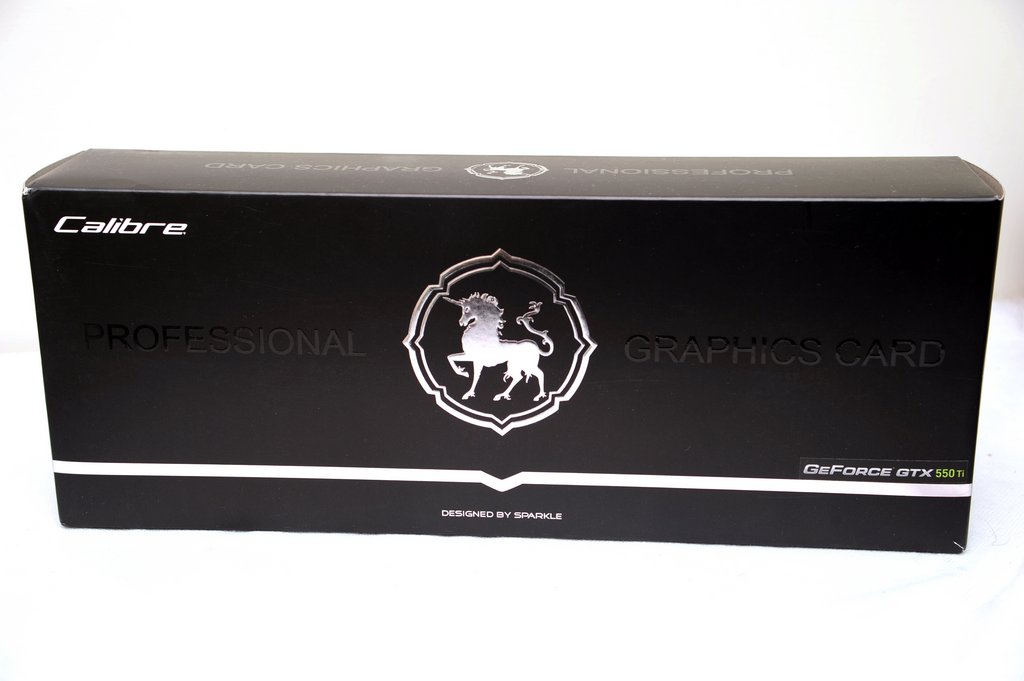
簡單的貼上了採用的晶片:為GeForce GTX550 Ti
http://picx.xfastest.com/shadowsfalltw/calibre550ti/02.JPG
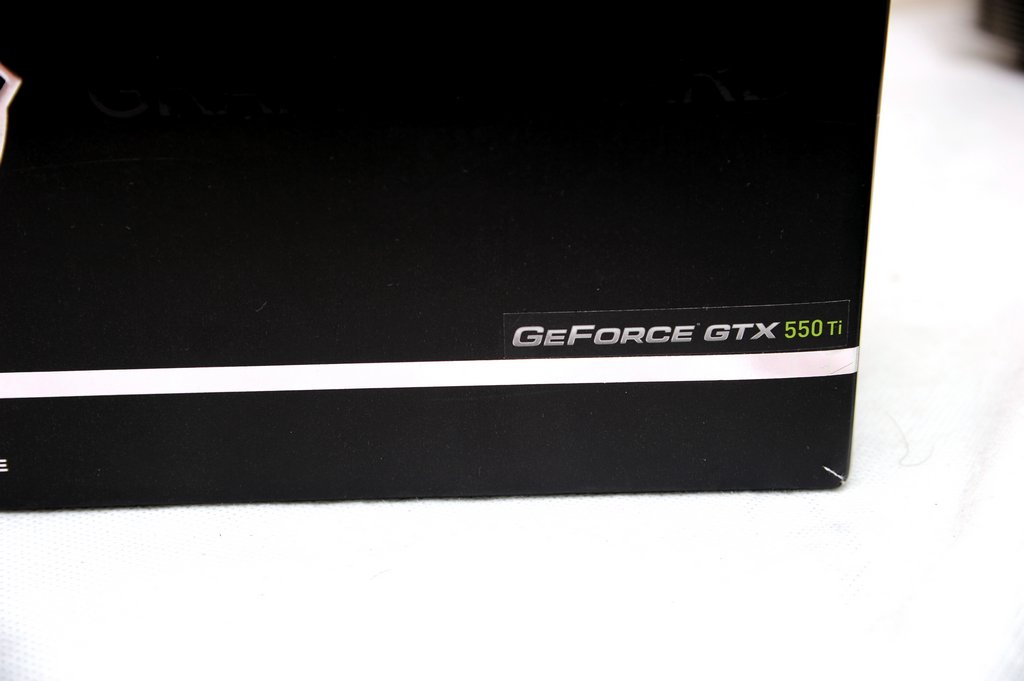
Design by Sparkle:系出同門
http://picx.xfastest.com/shadowsfalltw/calibre550ti/03.JPG

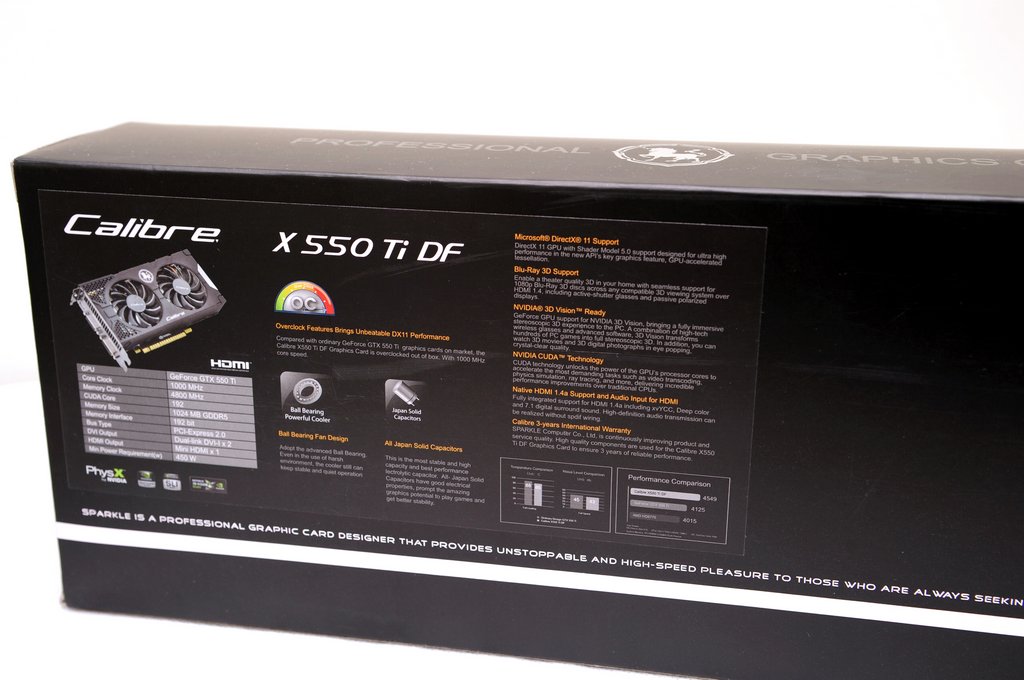
型號與簡易特色一覽:正式型號為X550TI DF
http://picx.xfastest.com/shadowsfalltw/calibre550ti/04.JPG
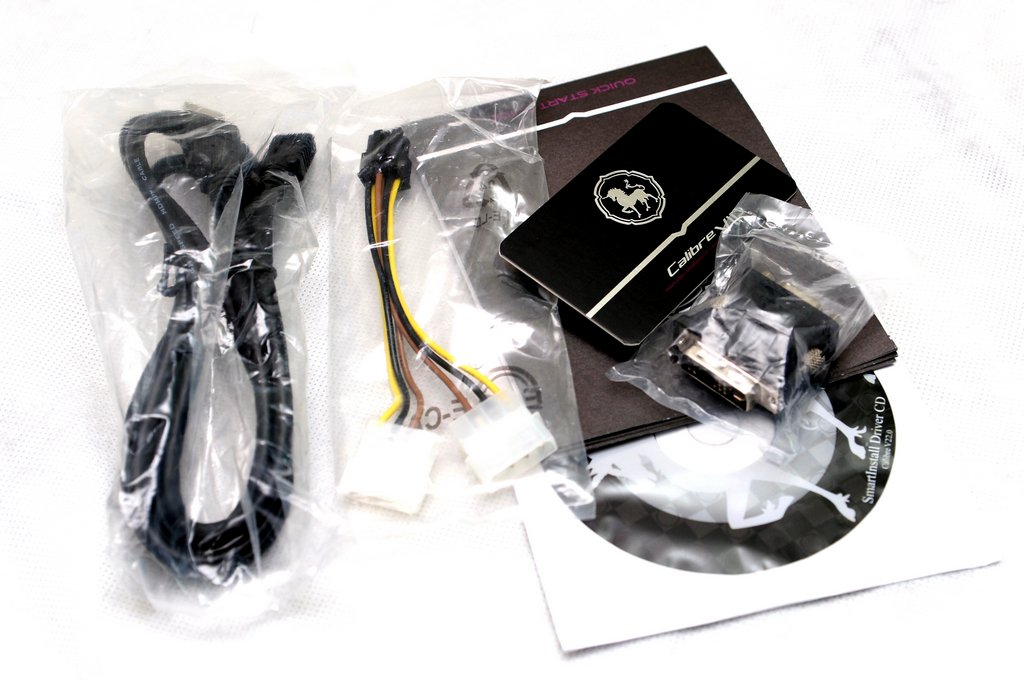
配件:大方地贈送了HDMI連接線、以及一張特別的VIP保卡
http://picx.xfastest.com/shadowsfalltw/calibre550ti/05.JPG
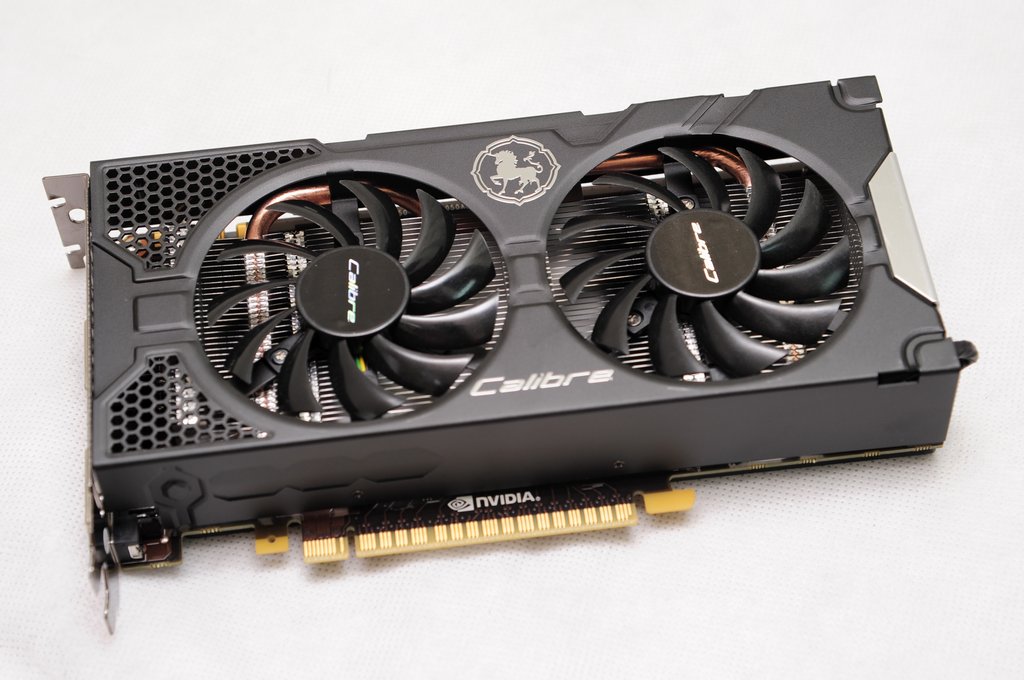
雙風扇設計並且採用了熱導管:
http://picx.xfastest.com/shadowsfalltw/calibre550ti/07.JPG
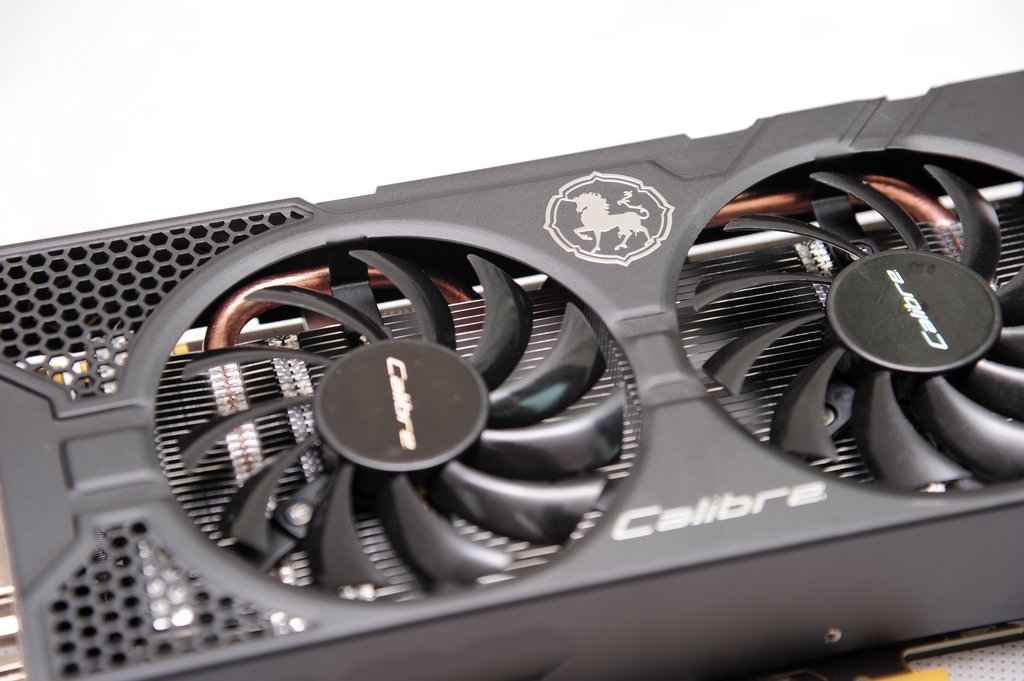
外殼有蜂巢狀孔洞,但主要應該為視覺形象之用:
http://picx.xfastest.com/shadowsfalltw/calibre550ti/08.JPG
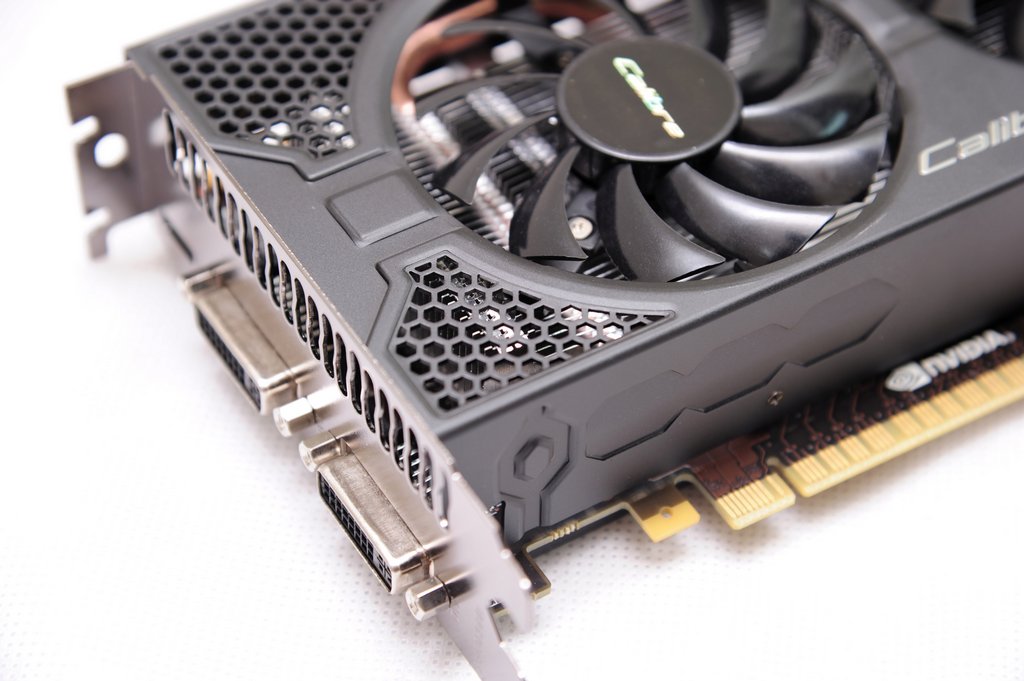
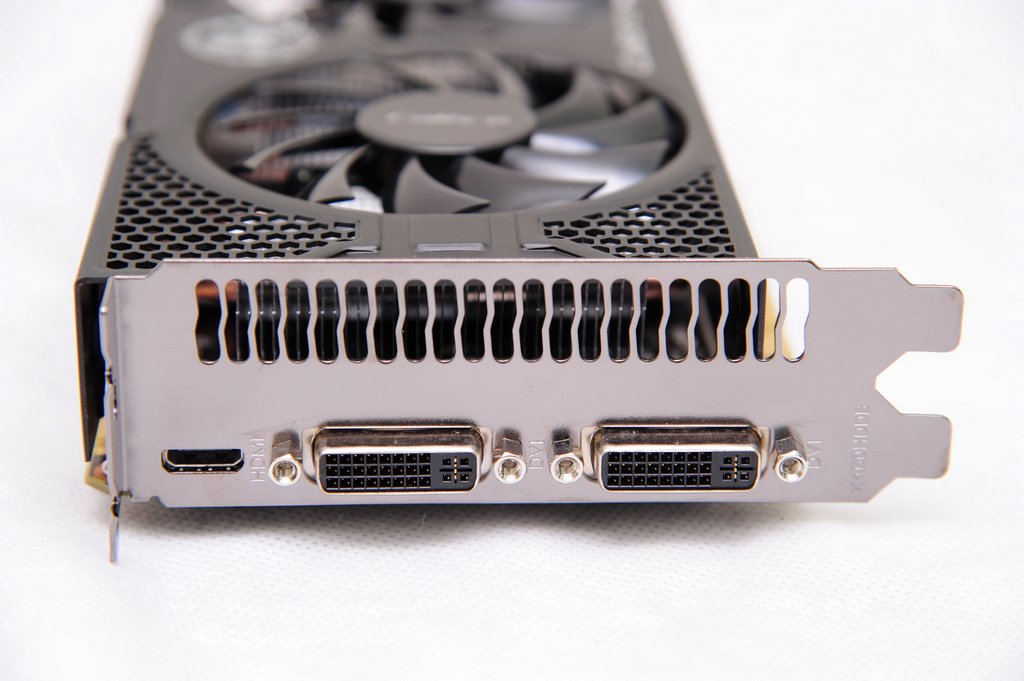
向來對於有強化背板的顯卡很有好感,而Cailbre X550TI DF也具有這特色,加分!
http://picx.xfastest.com/shadowsfalltw/calibre550ti/10.JPG
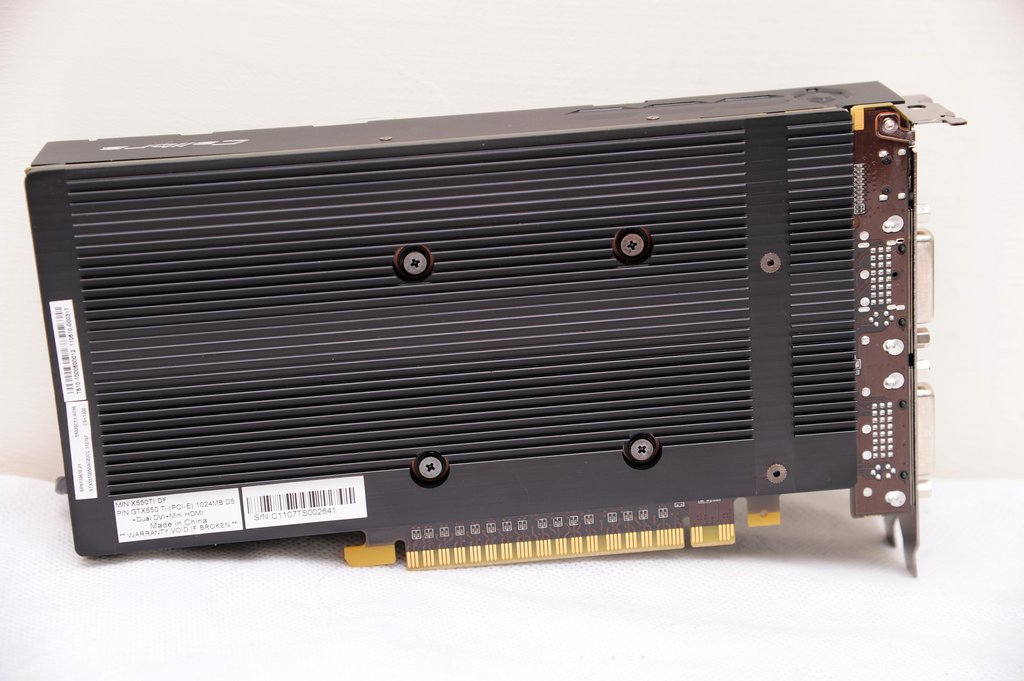
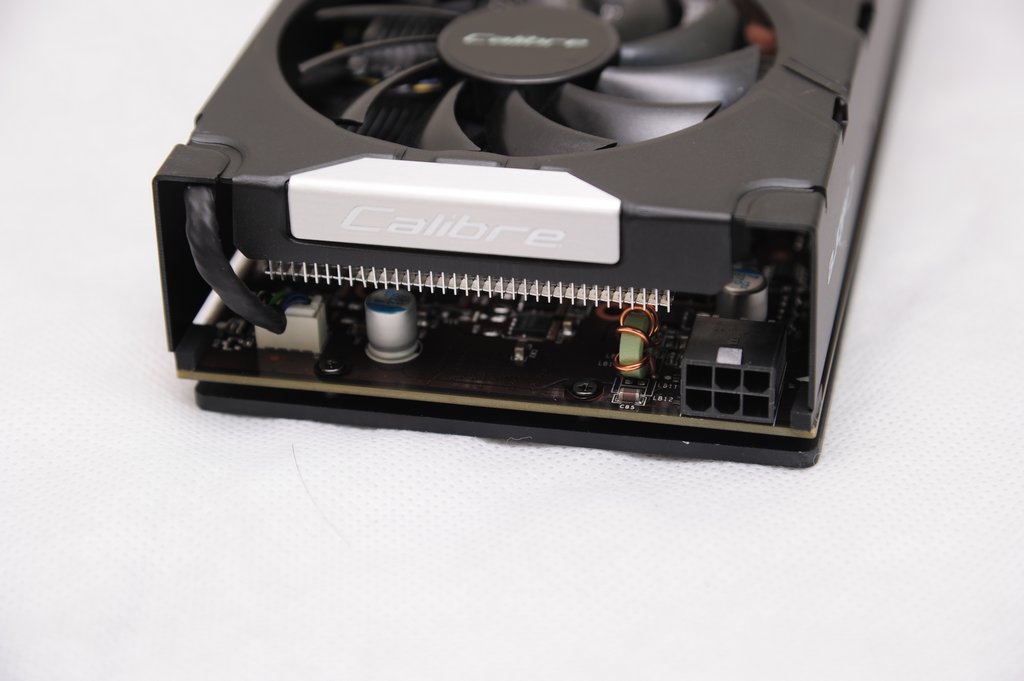
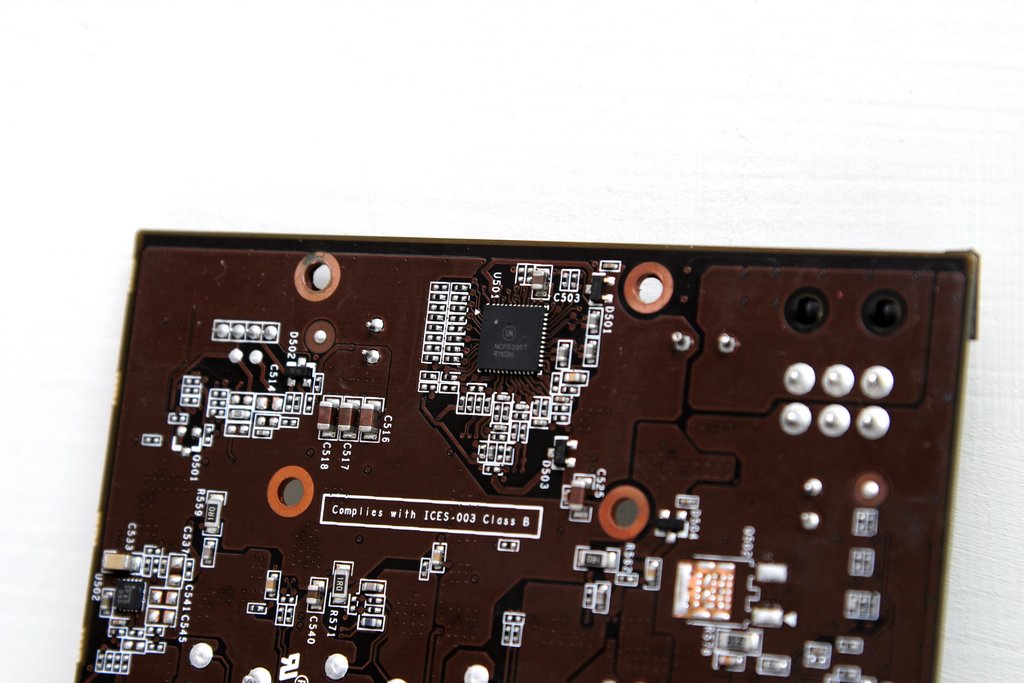
PCB本體一覽:就我印象應該還是走公版設計,不過換了個PCB顏色。
http://picx.xfastest.com/shadowsfalltw/calibre550ti/12.JPG
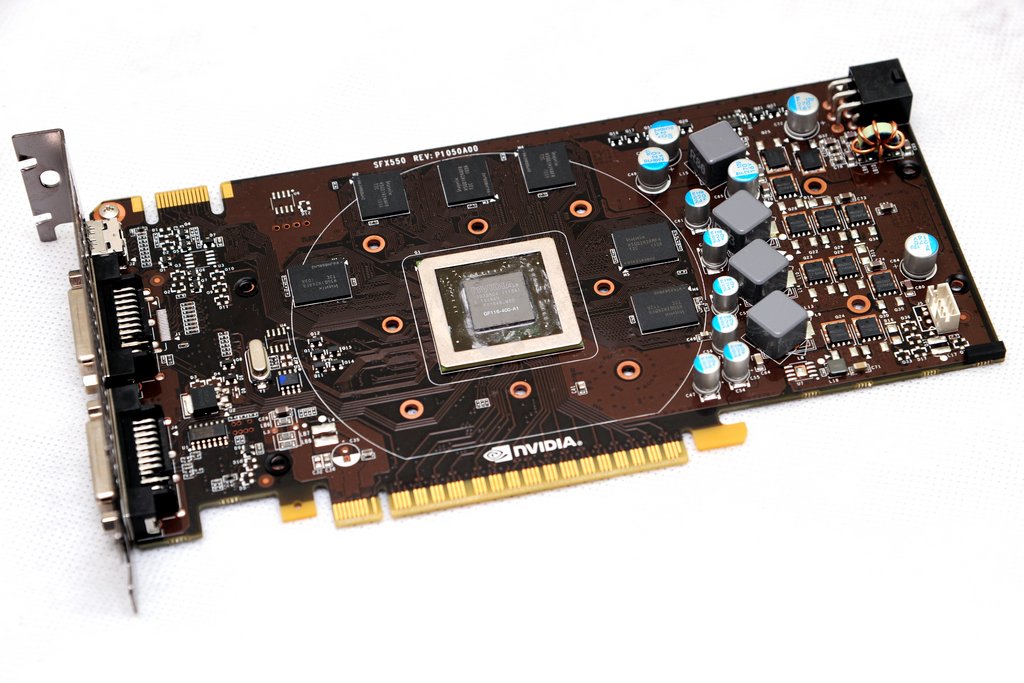
供電區用料及供電PWM晶片:3+1相
http://picx.xfastest.com/shadowsfalltw/calibre550ti/13.JPG
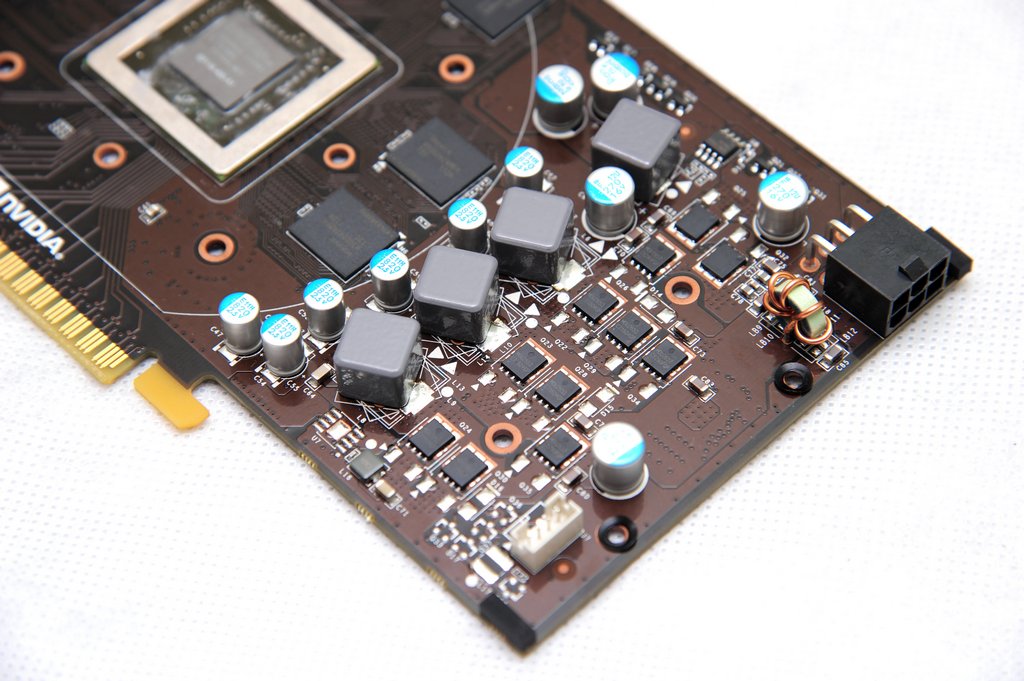
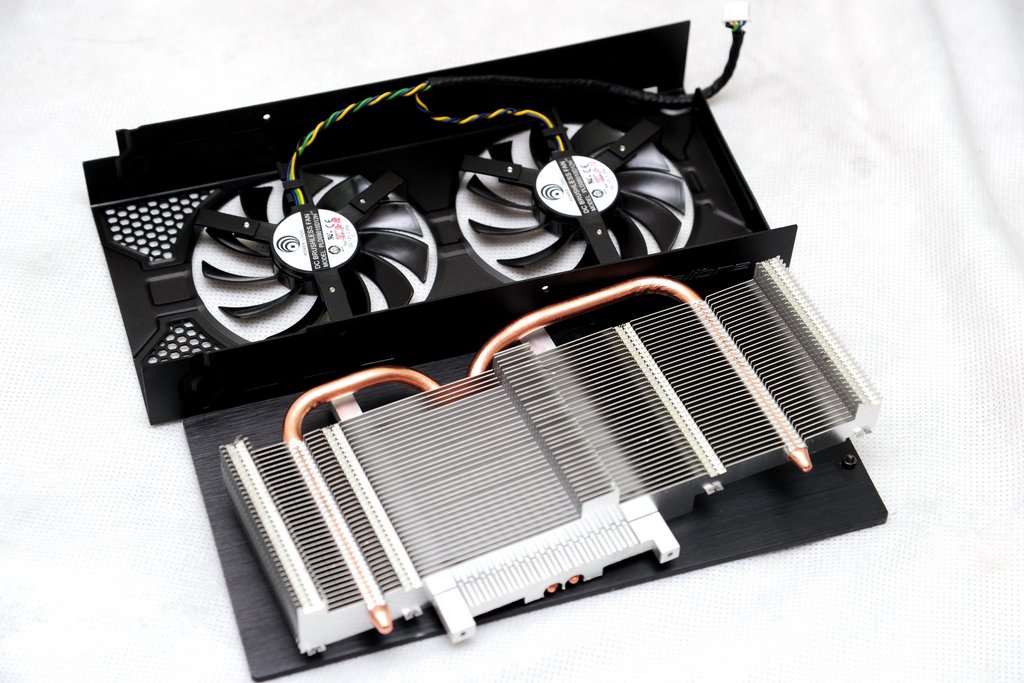
風扇以及散熱器:雙PWM扇,另外因為DIE SIZE比較小,因此只需兩根熱導管。
http://picx.xfastest.com/shadowsfalltw/calibre550ti/15.JPG
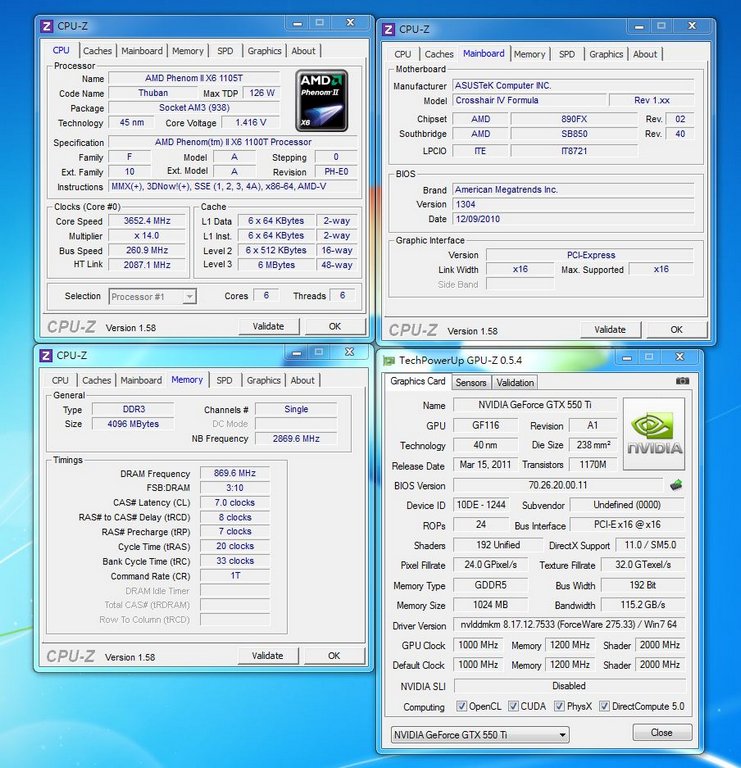
簡單介紹完畢就是開始測試了。
測試平台:
處理器:AMD X6 1090T@3.65G
主機板:ASUS CrossHair IV Formula
記憶體:Kingston HyperX H2O
VGA:Calibre GTX550Ti
散熱器:ThermalRight VenomousX
Power:Coolmaster SPH-1300W
HDD:WD 500AAKS 500G
OS:Windows7 &ForceWare 275.33
室溫:32度
http://picx.xfastest.com/shadowsfalltw/calibre550ti/sys.JPG
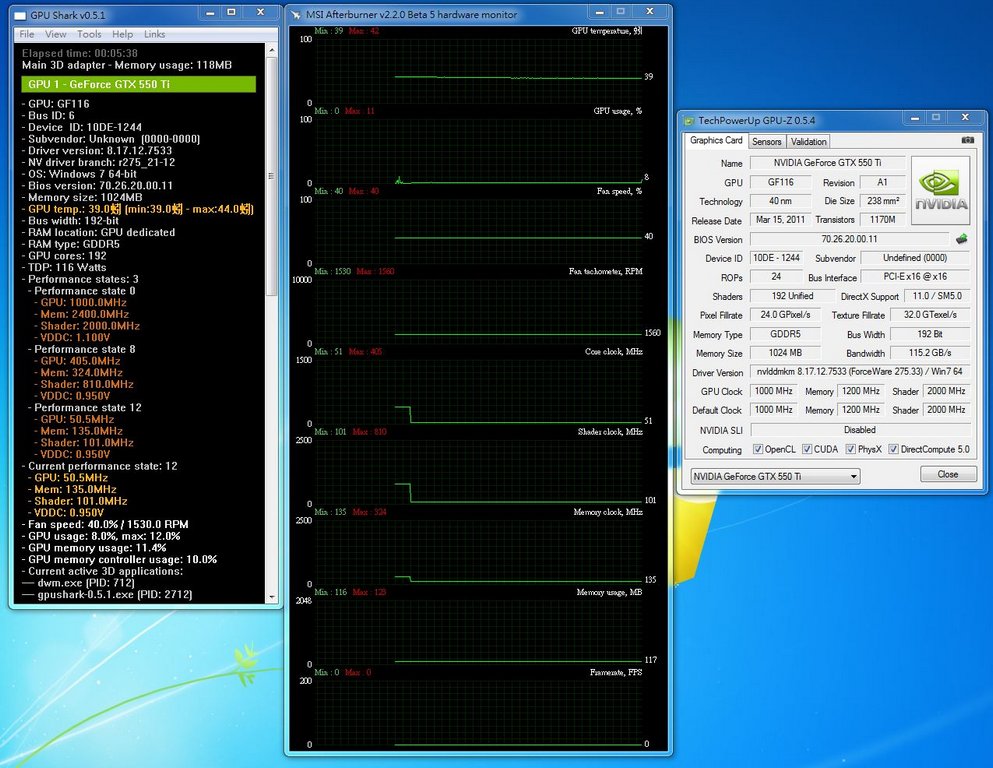
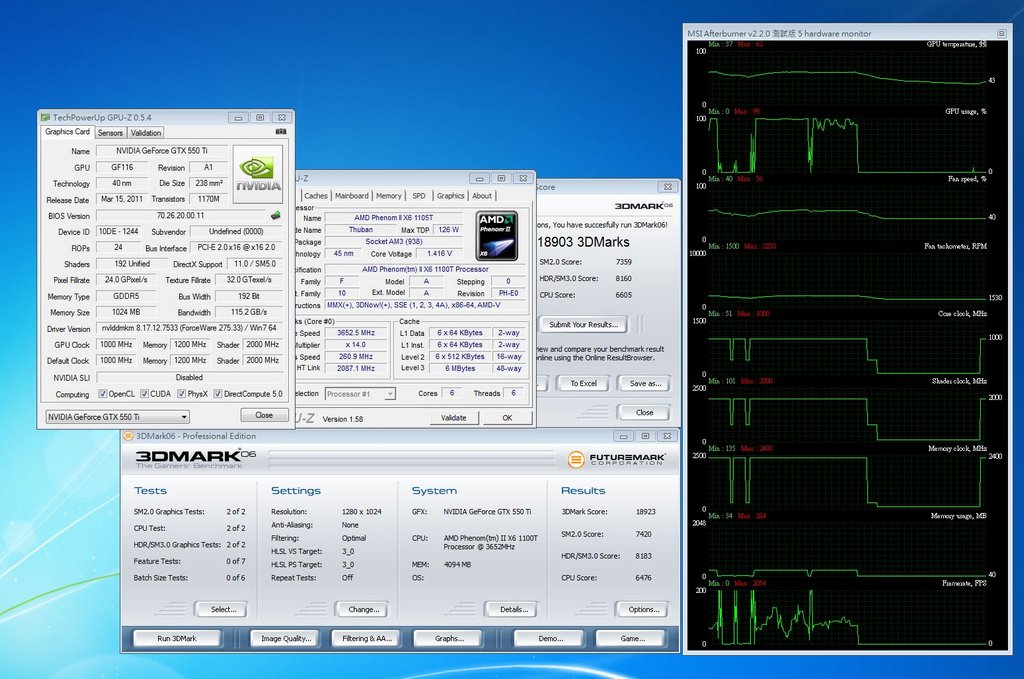
待機以及各級時脈電壓資訊一覽: 可以看到時脈比起公版都來的更高
http://picx.xfastest.com/shadowsfalltw/calibre550ti/idle.JPG
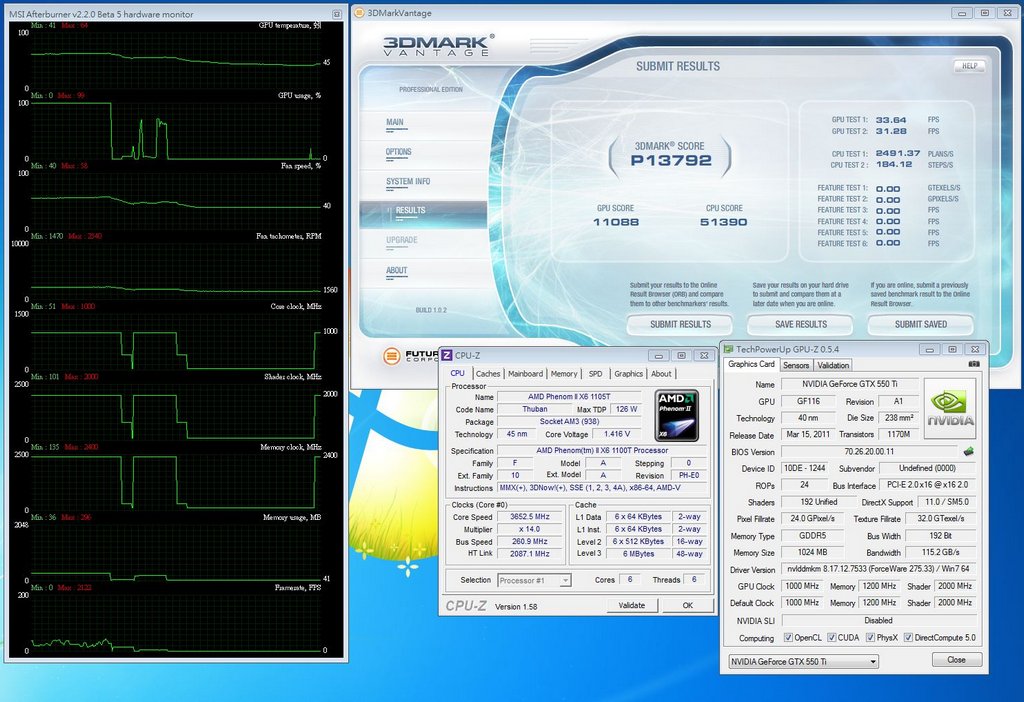
3DMARK VANTAGE,P模式:
http://picx.xfastest.com/shadowsfalltw/calibre550ti/3dvp.JPG
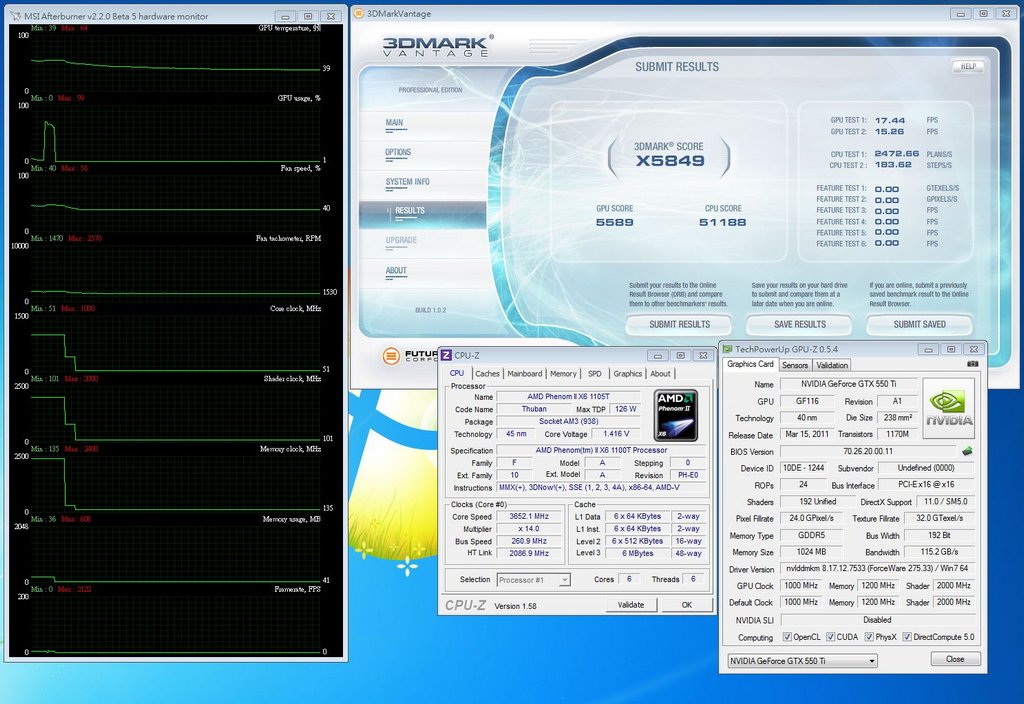
3DMARK VANTAGE X模式:
http://picx.xfastest.com/shadowsfalltw/calibre550ti/3dvx.JPG
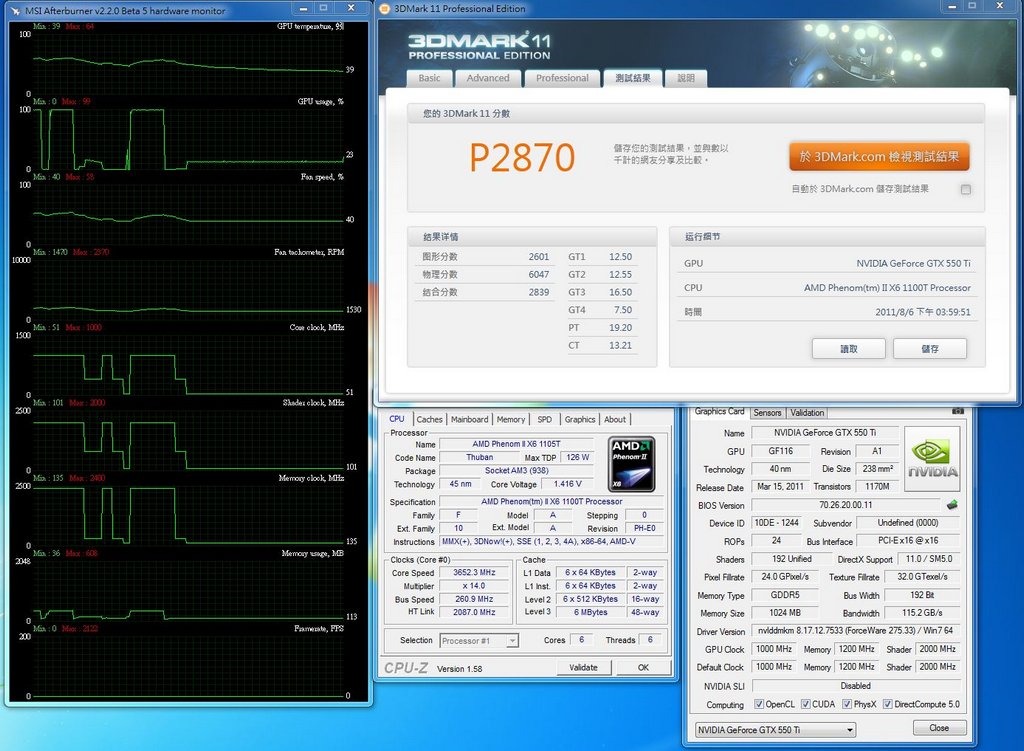
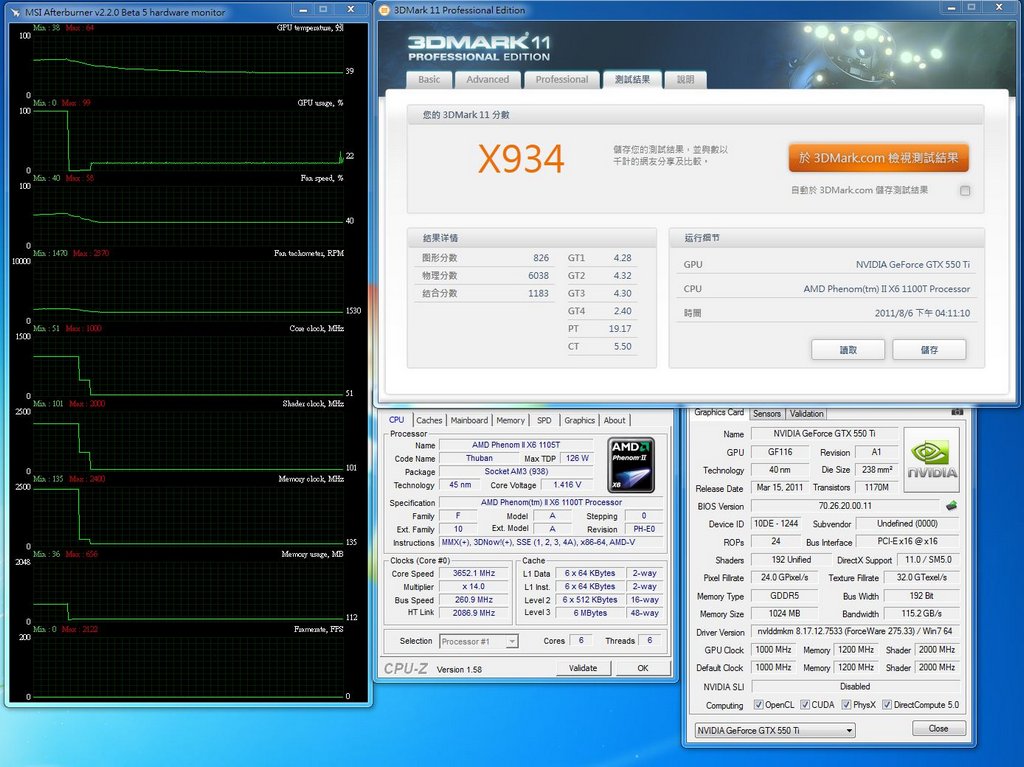
接著是採用了UNIGINE引擎的Heaven Benchmark。
BENCHMARK設定如下,只改變API以及反鋸齒設定:
http://picx.xfastest.com/shadowsfalltw/calibre550ti/uniset.JPG
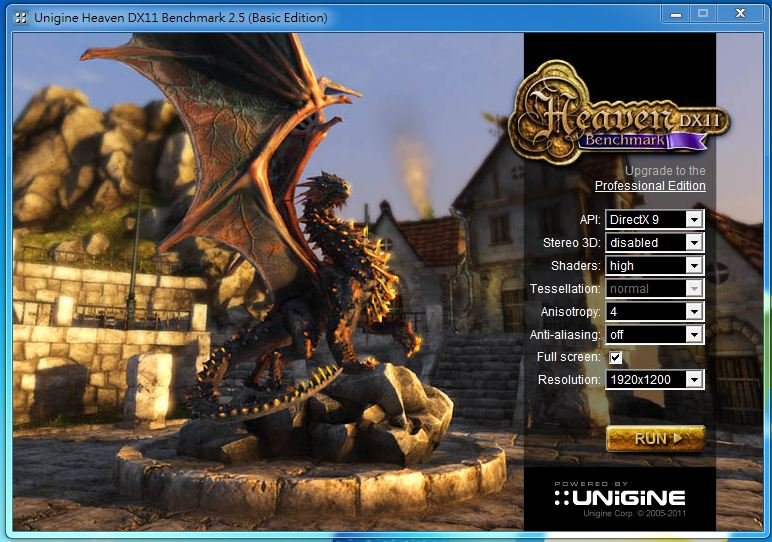
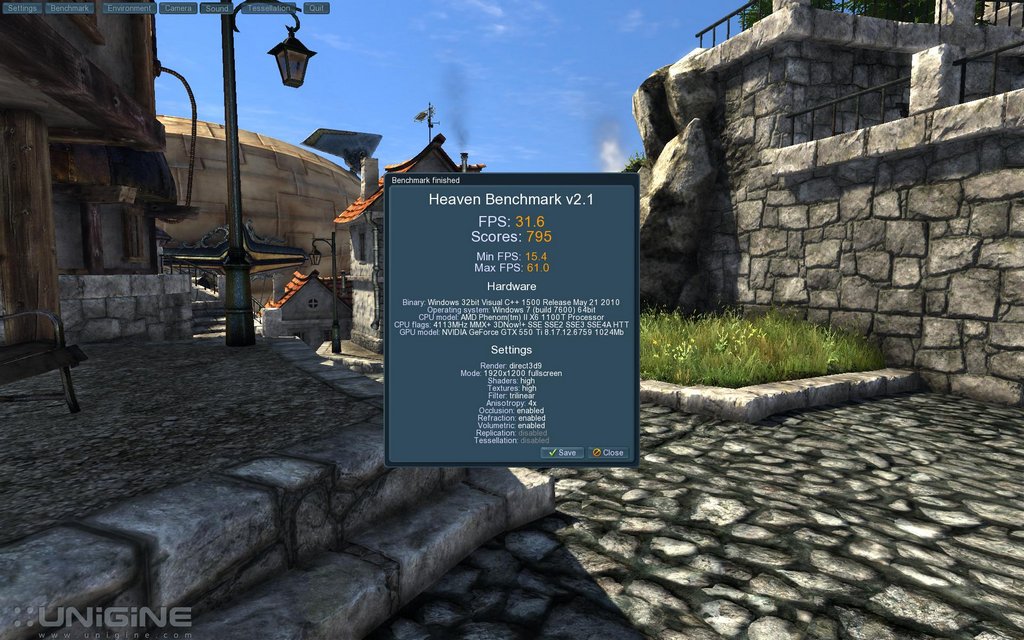
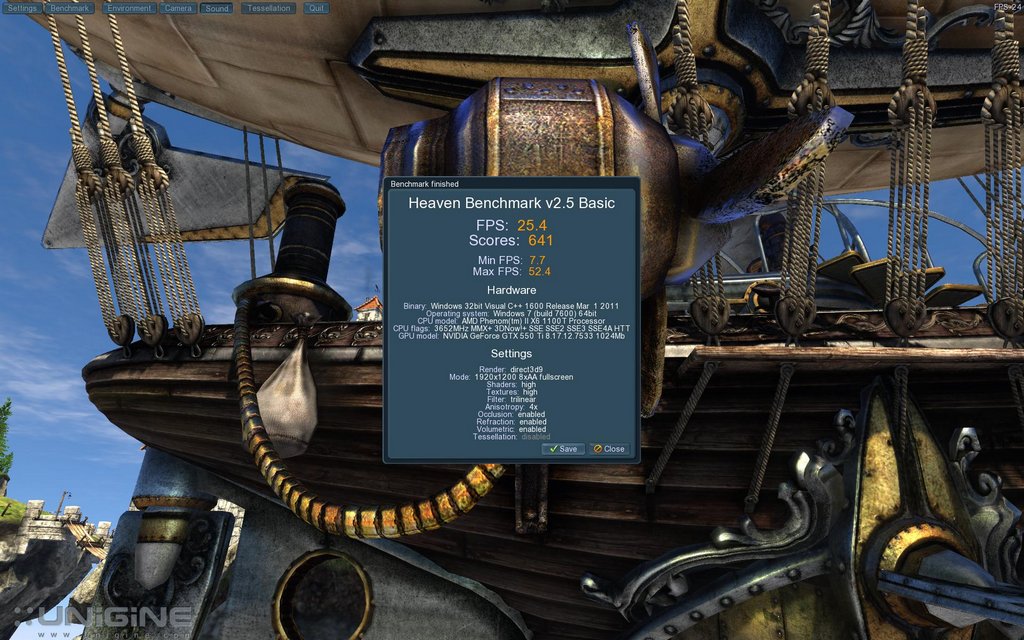
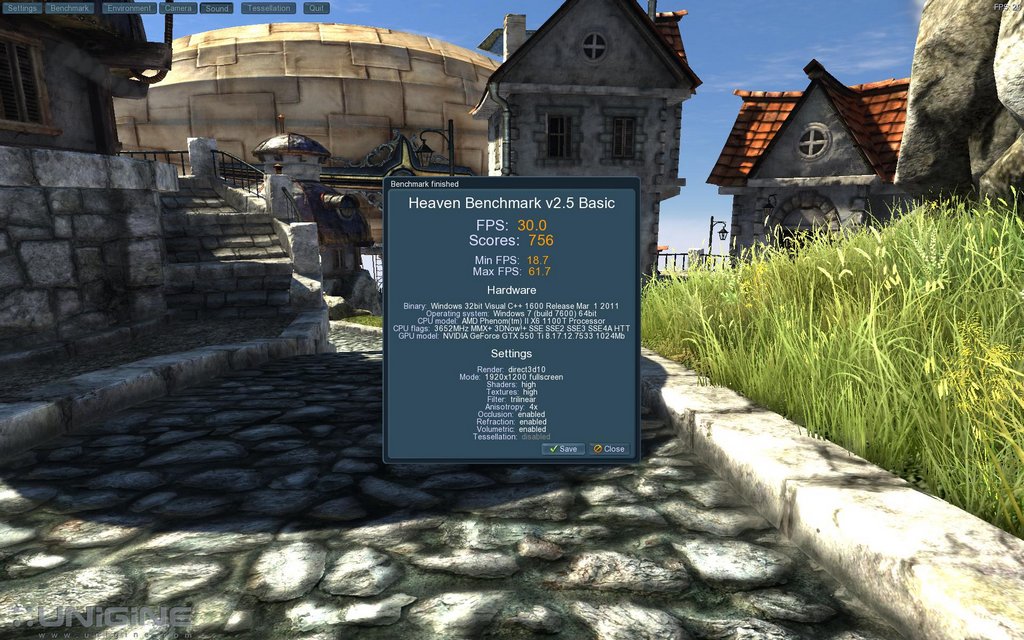
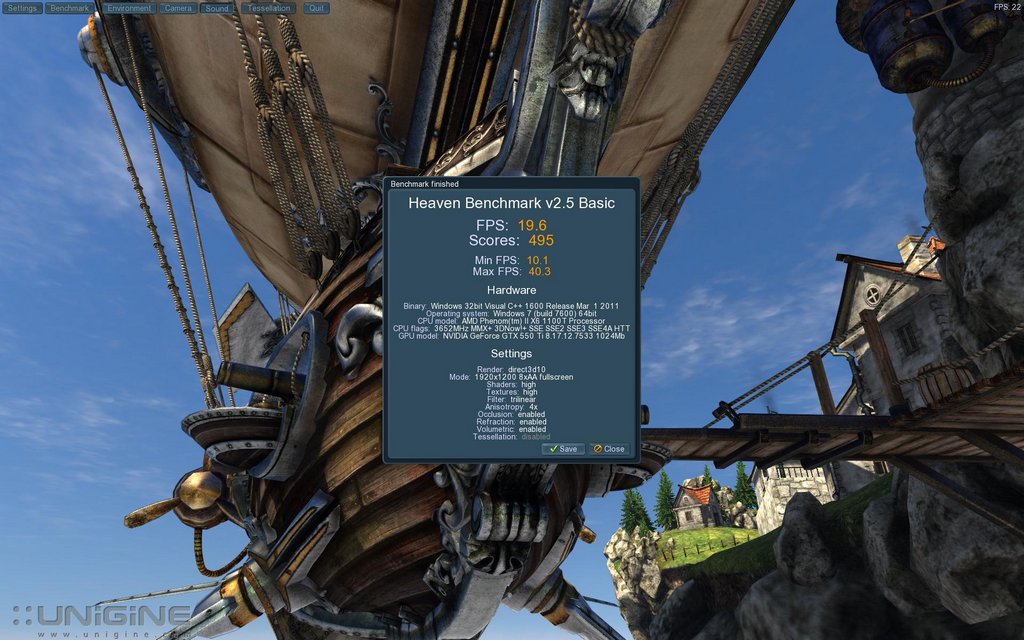
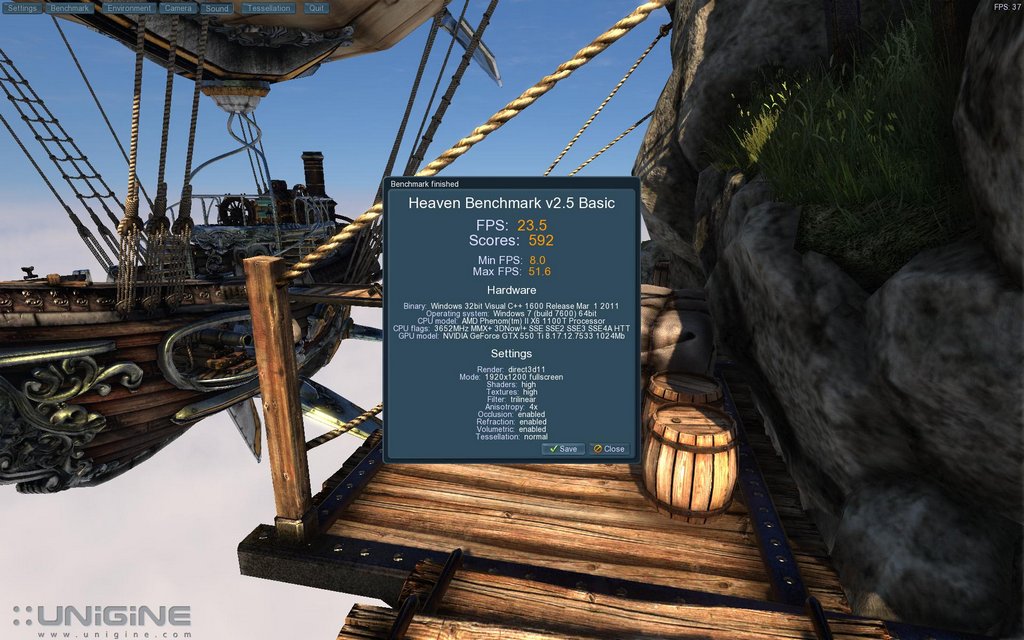
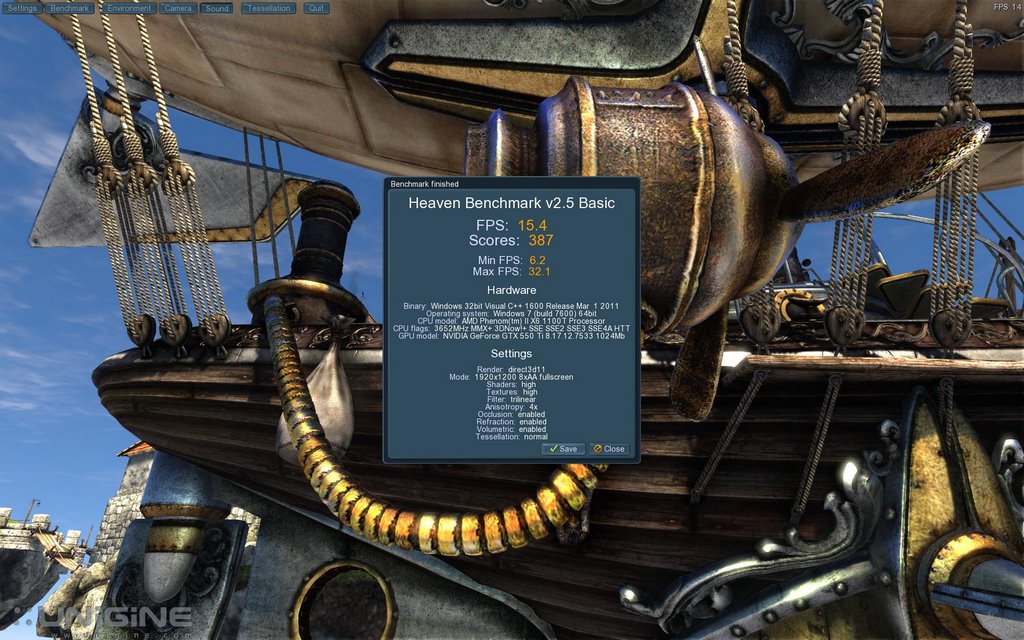
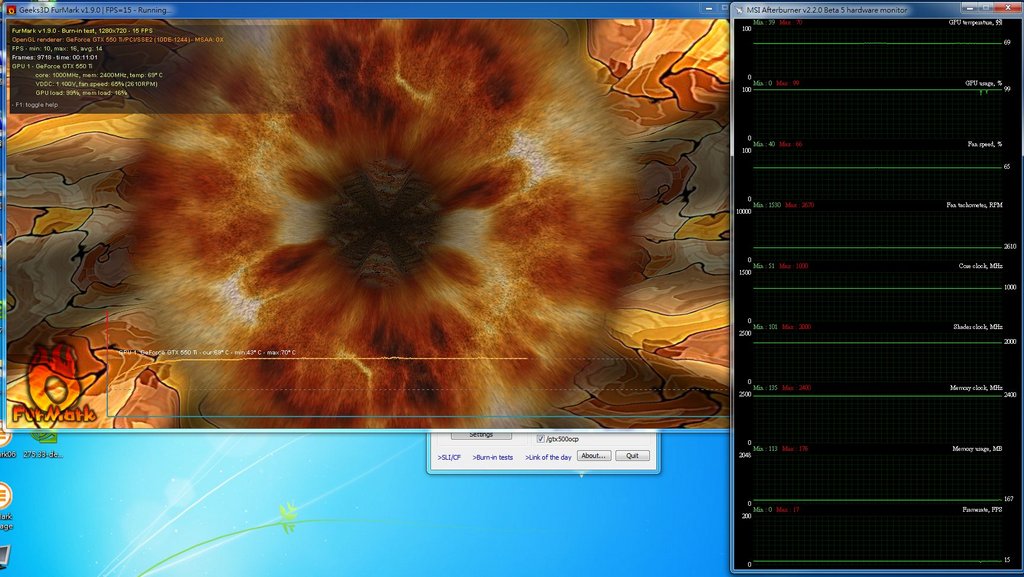
接著是溫度測試,新版的FurMark於日前正式推出了,也針對了目前新一代的顯示卡做了
更好的支援,下面便使用其Xtreme burning+解除OCP來直接燒機測試。
最後核心溫度在69度趨於穩定,轉速上升到65%。
http://picx.xfastest.com/shadowsfalltw/calibre550ti/burn.JPG
接下來進入遊戲測試,簡單的測試Capcom的兩套大作、以及經典NVIDIA優化的Crysis、
AMD優化的Dirt2/3的來涵蓋從DX9到DX11所有的效能表現。
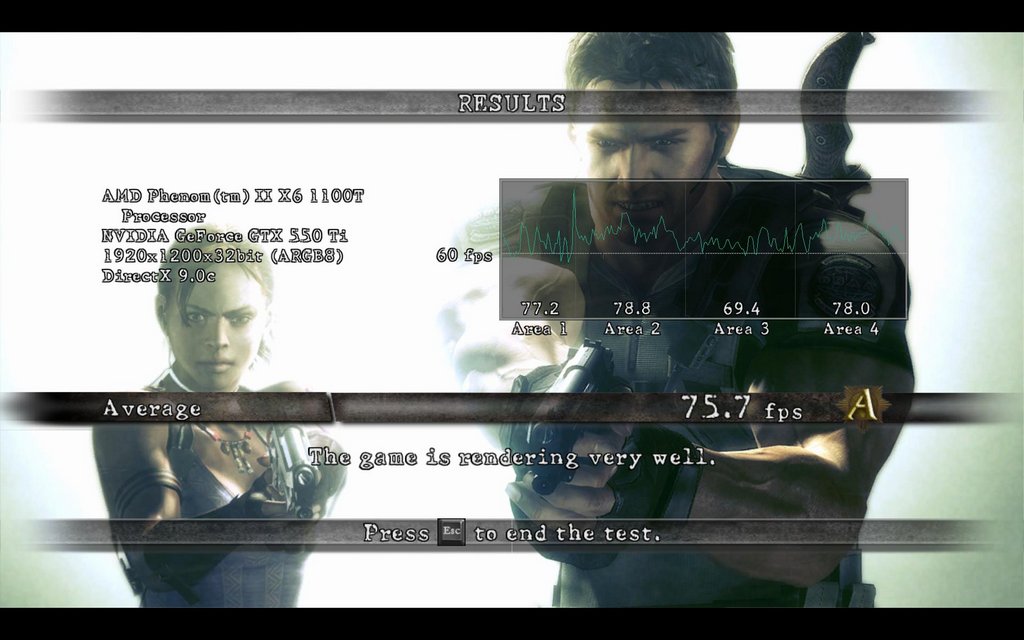
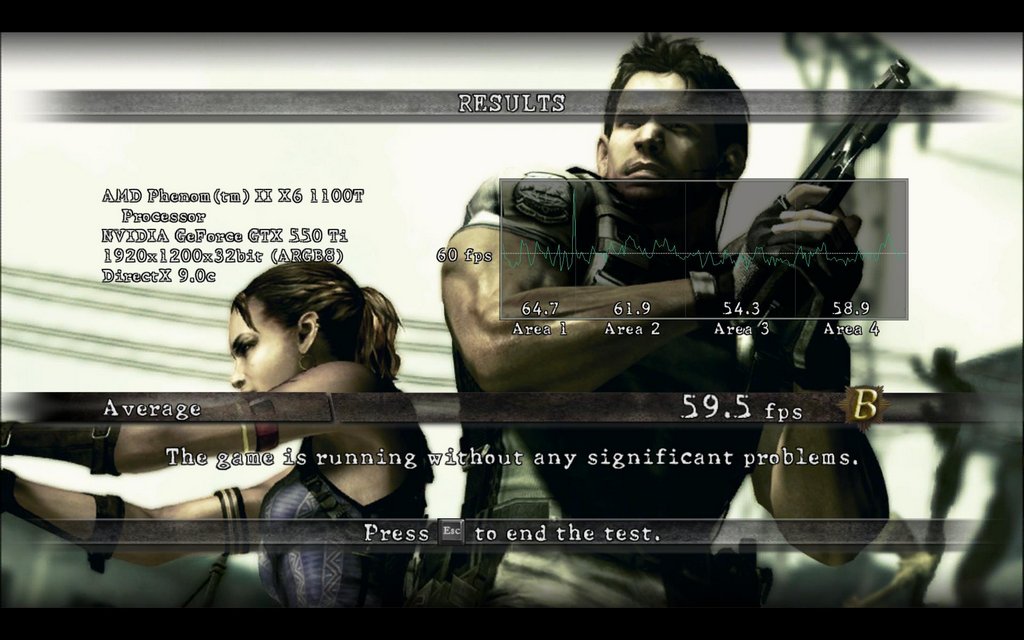
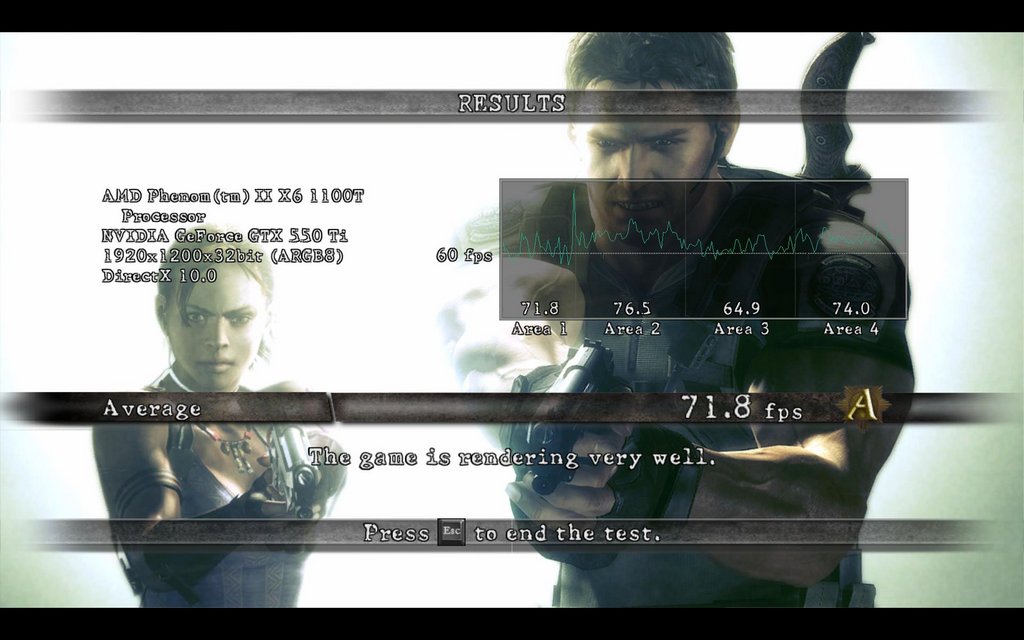
惡靈古堡5設定為1920*1080 效能全開,只修改反鋸齒設定以及採用API不同:
DirectX9,關閉反鋸齒,平均75.7張。
http://picx.xfastest.com/shadowsfalltw/calibre550ti/re5dx90aa.jpg
DirectX9,八倍反鋸齒,平均59.5張。
http://picx.xfastest.com/shadowsfalltw/calibre550ti/re5dx98aa.jpg
DirectX10,關閉反鋸齒,平均71.8張。
http://picx.xfastest.com/shadowsfalltw/calibre550ti/re5dx100aa.jpg
DirectX10,八倍反鋸齒,平均57.2張。
http://picx.xfastest.com/shadowsfalltw/calibre550ti/re5dx108aa.jpg
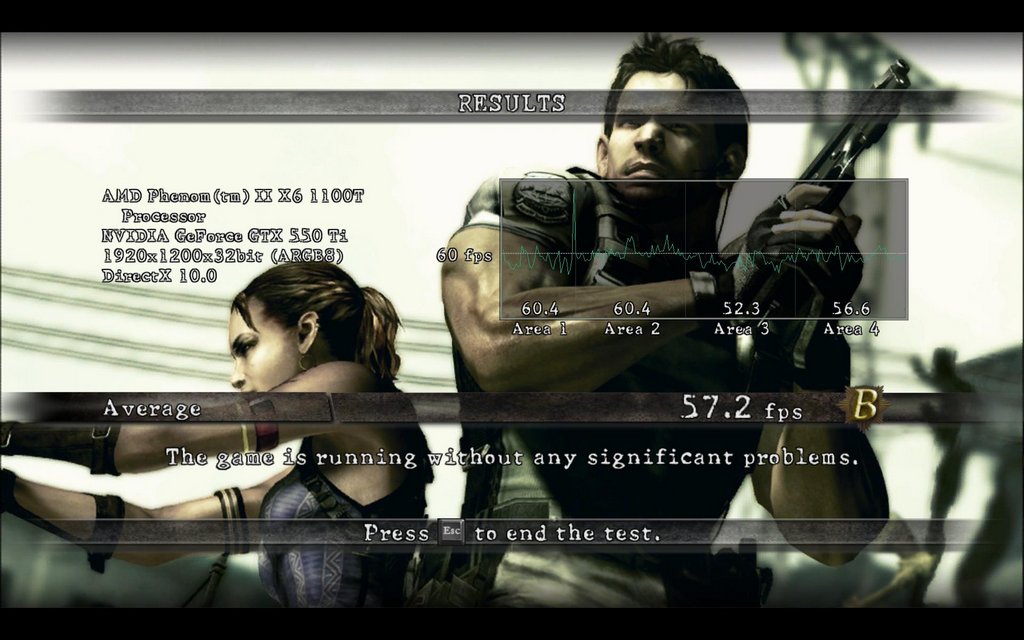
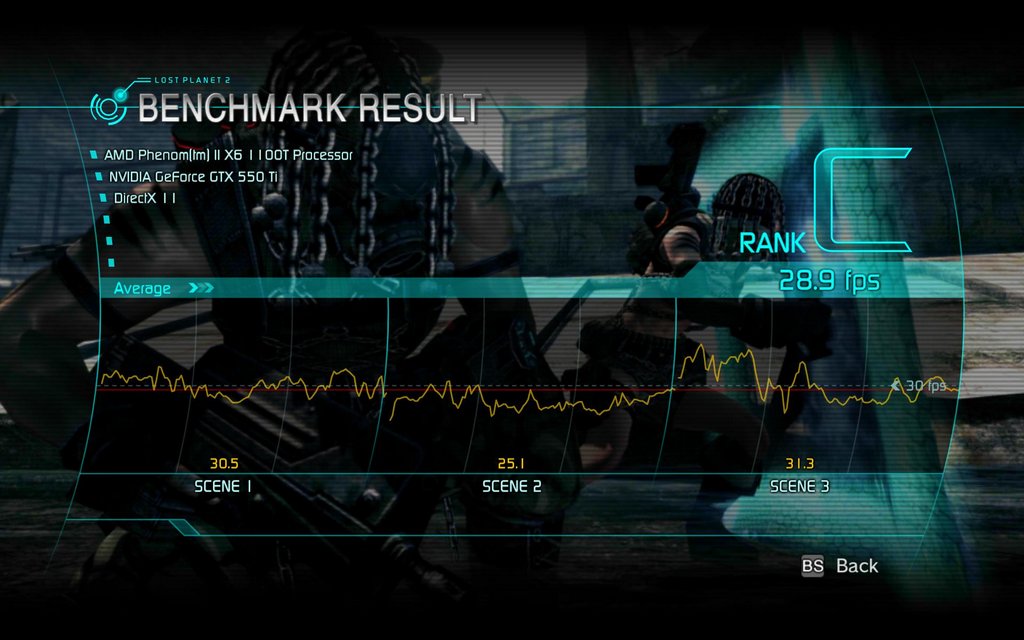
接下來是同為CAPCOM製作的新遊戲,Lost Planet 2,支援DirectX11,設定如下,只改動
反鋸齒設定及API:
DirectX11,場景A關閉反鋸齒,平均28.9張。
http://picx.xfastest.com/shadowsfalltw/calibre550ti/lp2dx11a0aa.jpg
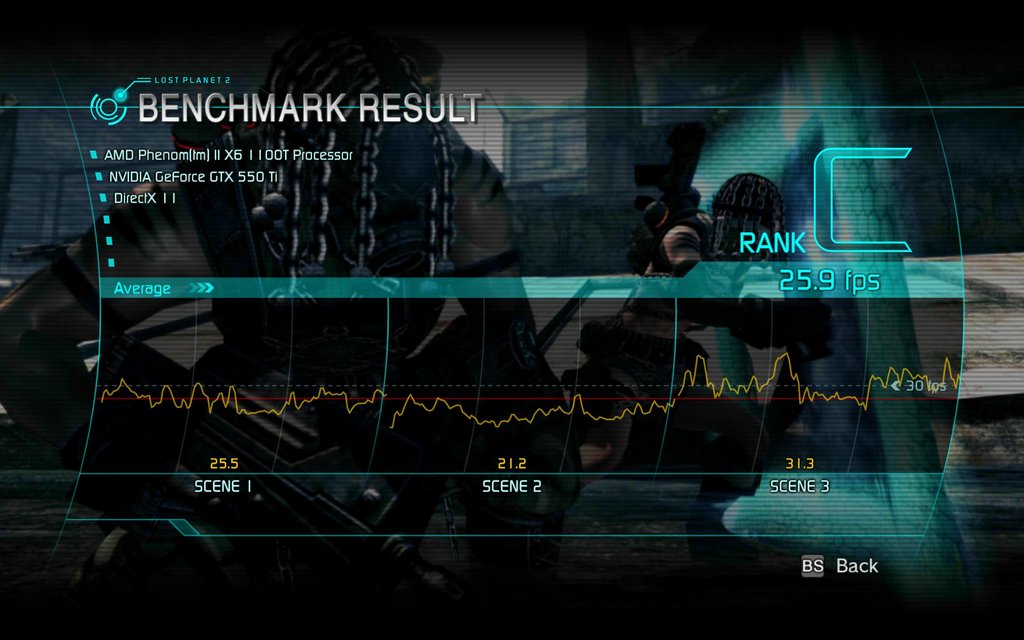
DirectX11,場景A八倍反鋸齒,平均25.9張。
http://picx.xfastest.com/shadowsfalltw/calibre550ti/lp2dx11a8aa.jpg
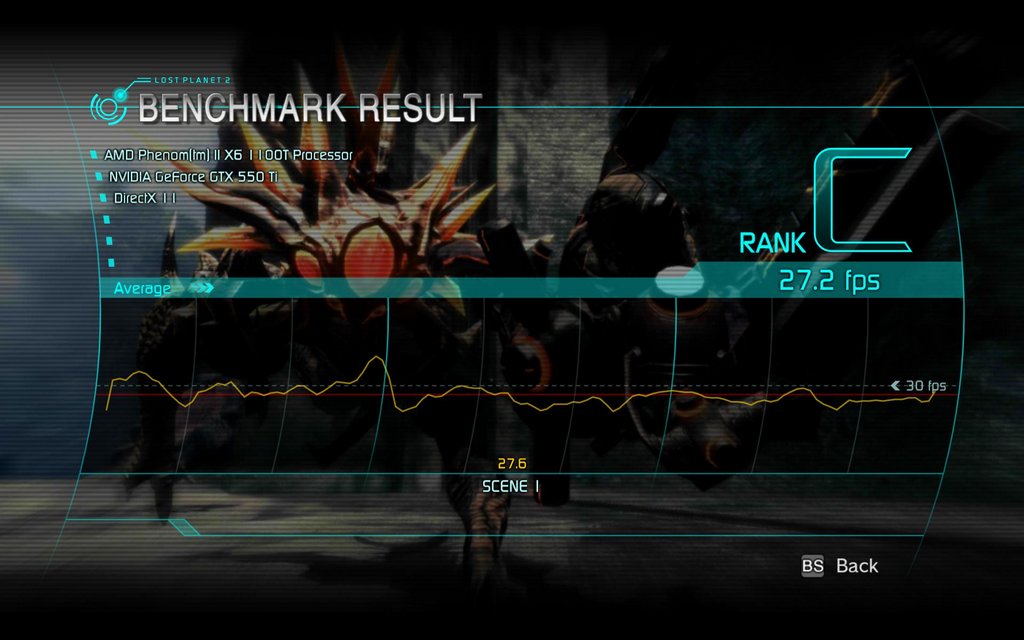
DirectX11,場景B關閉反鋸齒,平均27.2張。
http://picx.xfastest.com/shadowsfalltw/calibre550ti/lp2dx11b0aa.jpg
DirectX11,場景B八倍反鋸齒,平均23.2張。
http://picx.xfastest.com/shadowsfalltw/calibre550ti/lp2dx11b8aa.jpg
接下來是Dirt2與Dirt3,設定皆為最高,解析度1920*1200。
Dirt2,0AA:
http://picx.xfastest.com/shadowsfalltw/calibre550ti/dirt20aa.jpg
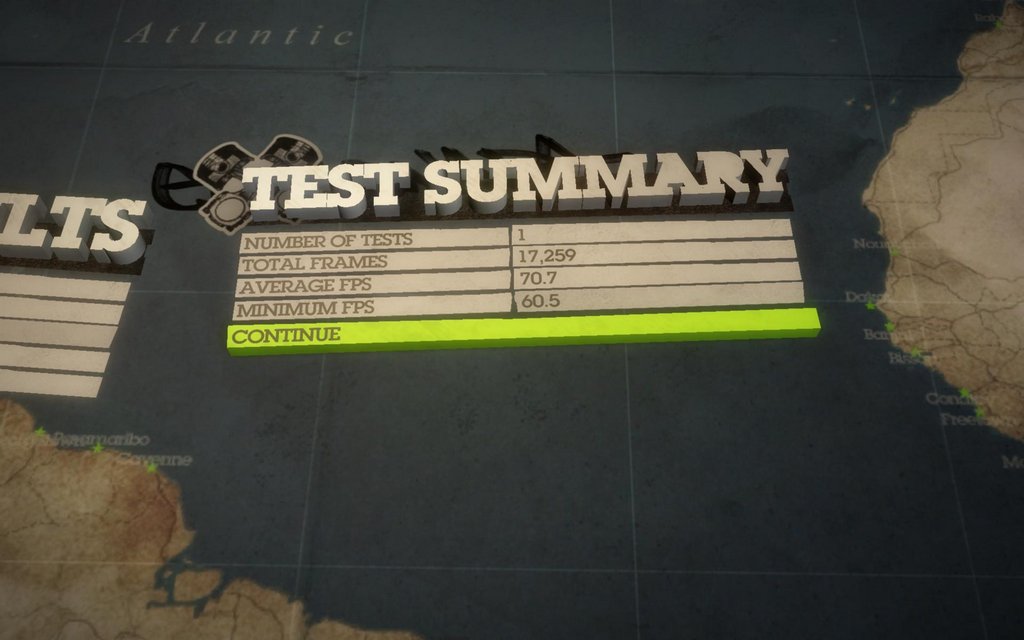
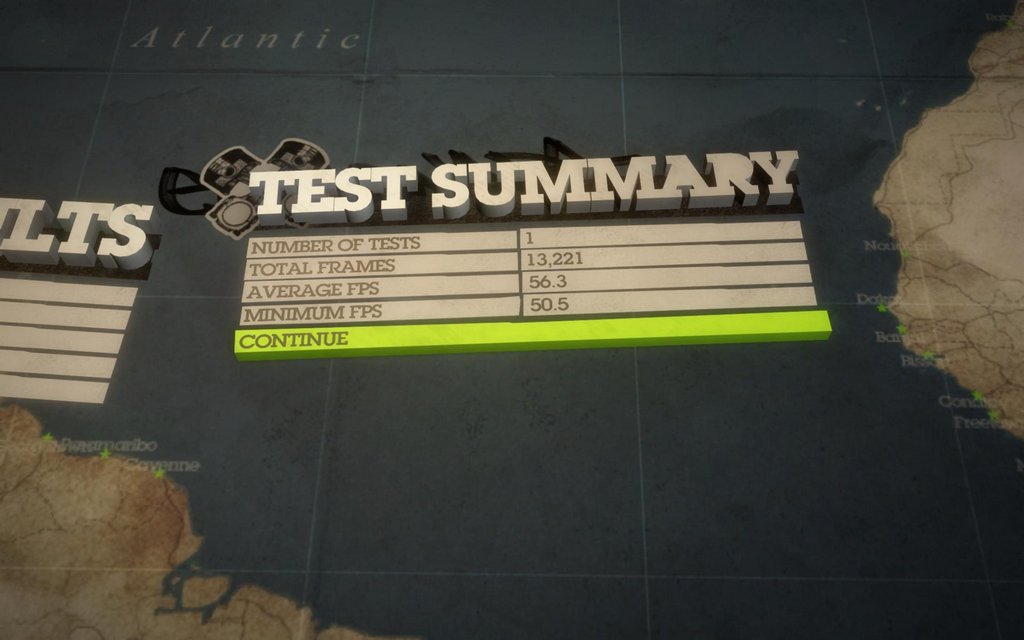
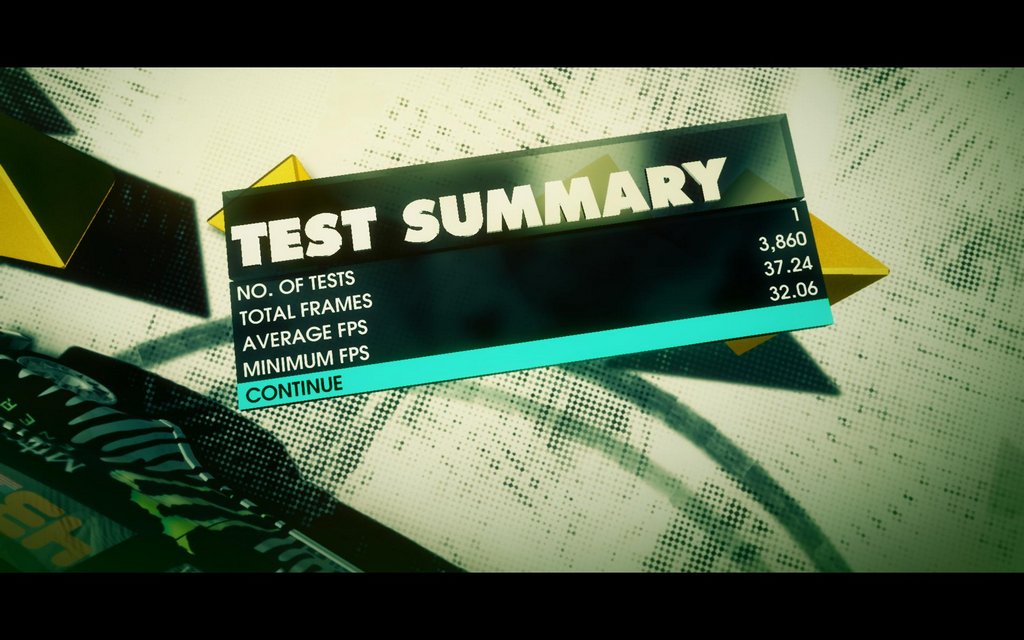
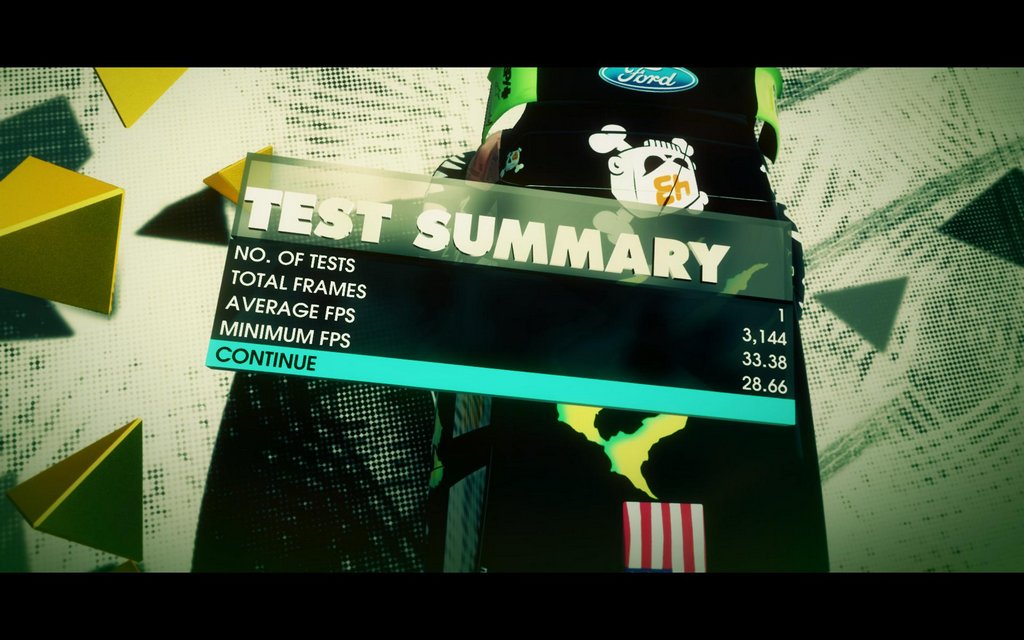
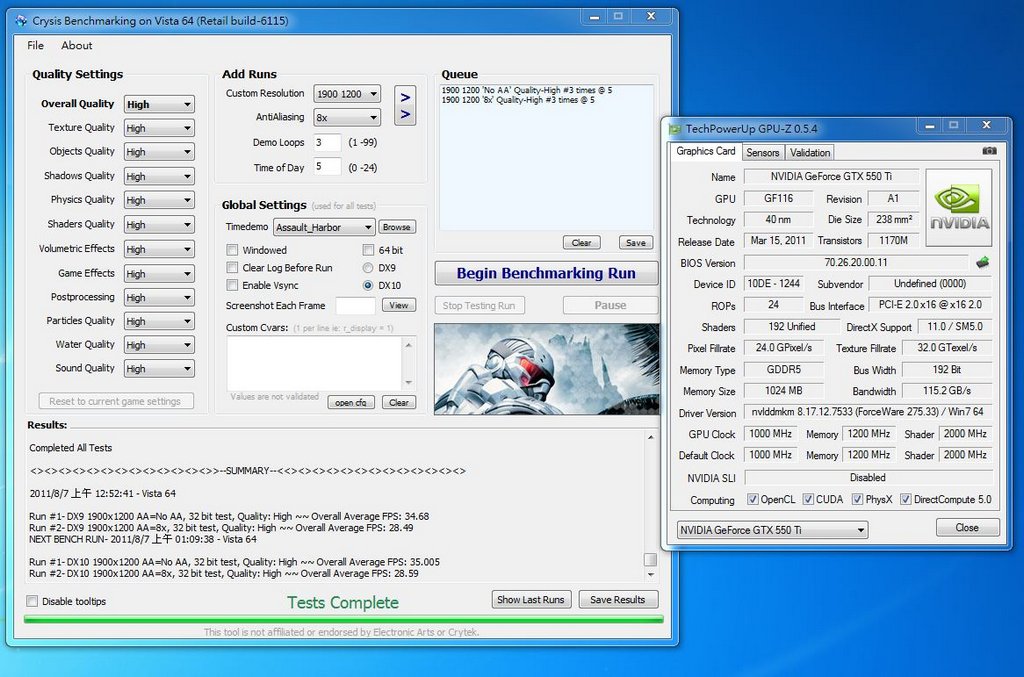
最後用Crysis作收,設定與結果如圖:
http://picx.xfastest.com/shadowsfalltw/calibre550ti/crs.JPG
--
※ 發信站: 批踢踢實業坊(ptt.cc)
◆ From: 114.25.153.202
推
08/09 06:56, , 1F
08/09 06:56, 1F
→
08/09 06:58, , 2F
08/09 06:58, 2F
推
08/09 07:22, , 3F
08/09 07:22, 3F
→
08/09 07:25, , 4F
08/09 07:25, 4F
推
08/09 13:19, , 5F
08/09 13:19, 5F
PC_Shopping 近期熱門文章
PTT數位生活區 即時熱門文章