[教學] 修復windows 7 SP1 更新後c0000034錯誤無法開機
更新SP1後無法開機出現 "嚴重錯誤 C0000034套用更新操作
283/101210(_0000000000000000.cdf-ms)"
引用微軟technet討論區 thiswoot文章
YEP I GOT IT WORKING!! I DONT KNOW IF MY METHOD IS THE BEST BUT IT WORKS!
This method works without Safe Mode, without backups, without System Restore,
without DISM, and without a Windows 7 DVD repair disc.
INSTRUCTIONS:
01. Reboot your computer while it's starting up.
02. When your computer starts up again, choose the option "Launch Startup
Repair"
--> PIC: http://notebooks.com/wp-content/uploads/2011/01/Recov-1.jpg
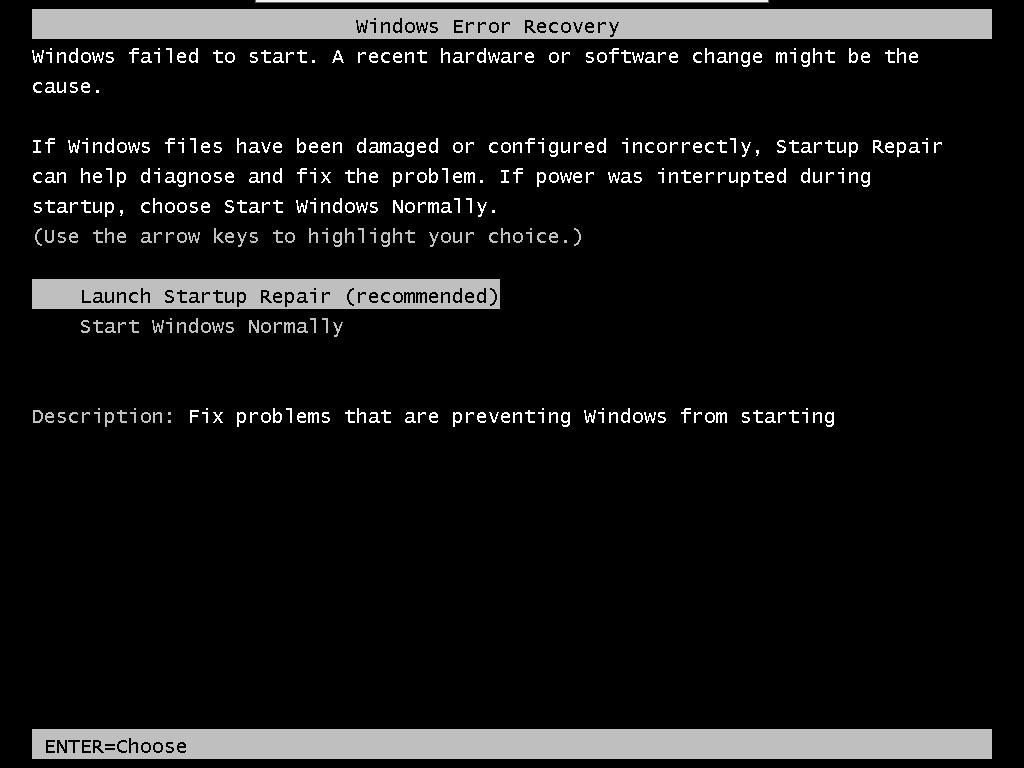
03. When the Startup repair starts, click cancel.
04. After you click cancel it will show a box. Click "Don't Send"
--> PIC: http://i52.tinypic.com/xgjriw.png

05. Click the link "View advanced options for recovery and support"
06. In the new window click Command Prompt at the bottom.
--> PIC: http://i51.tinypic.com/50imu8.png

07. In Command Prompt type this and press enter: %windir%\system32\notepad.exe
08. Notepad will open. In notepad go to File-->Open.
09. Change the type of files notepad views from .txt to All Files (see pic)
--> PIC: http://i51.tinypic.com/35nd74z.png

10. Now in Notepad, go to C:\Windows\winsxs\ (or whichever drive Windows is
installed on)
11. In that folder, find pending.xml and make a copy of it
12. Now open the original pending.xml (it will load really slow because the
file is huge)
13. Press CNTRL+F and search for the following exactly:
0000000000000000.cdf-ms
14. Delete the following text (yours will be a little different):
<Checkpoint/>
<DeleteFile path="\SystemRoot\WinSxS\FileMaps\_0000000000000000.cdf-ms"/>
<MoveFile
source="\SystemRoot\WinSxS\Temp\PendingRenames\e56db1db48d4cb0199440000b01de419._0000000000000000.cdf-ms"
destination="\SystemRoot\WinSxS\FileMaps\_0000000000000000.cdf-ms"/>
--> PIC: http://i54.tinypic.com/adzpzp.png

Your PC might not have all 3 sections of code (<Checkpoint>, <DeleteFile>,
<MoveFile>). Just make sure you delete section "Checkpoint" and whatever
other sections have "000000000000000.cdf-ms". They will be right next to
eachother.
15. Save the file, close notepad, close command prompt, restart your computer.
Once your computer starts up, do a normal startup (it may stall for 5-10
minutes at the "starting windows" screen, but leave it going) and the Service
Pack will install some more stuff and restart a few times and then everything
should be working! For some people, it reverts everything and cancels the
service pack installation. For other people, the service pack installation
completes. Either result is fine.
If you have any problems with the steps let me know or message me on Windows
Messenger - thiswoot@hotmail.com
http://www.mobile01.com/topicdetail.php?f=300&t=2051104&p=1#26435938
--
※ 發信站: 批踢踢實業坊(ptt.cc)
◆ From: 211.75.100.98
Windows 近期熱門文章


PTT數位生活區 即時熱門文章
