[開箱] ASUS華碩 ROG Maximus V Formula 主機板
融合水冷好讀版
http://www.xfastest.com/forum.php?mod=viewthread&tid=80628&fromuid=38227
==============================================================================
主機板龍頭大廠ASUS華碩在前陣子Z77主機板上市的時候,
ROG系列首波主打為micro-ATX小板的Maximus V Gene,
雖然個子比較嬌小但性能表現卻相當有看頭。
後來終於在Computex正式發表滿足玩家期待的ROG Z77 ATX大板:
Maximus V Formula和Maximus V Extreme,
其中又以帶有Fusion Thermo水冷散熱模組的Maximus V Formula最具話題性。
除了超頻散熱方面的特色之外,ROG團隊也有聽到玩家們對音質方面的需求,
Maximus V Formula不僅將內建音效進化到SupermeFX IV,
上市的時候還會有一款搭配ThunderFX遊戲專用外接式DAC的套件,
以下我們先針對M5F主機板進行開箱介紹和測試。
包裝與配件
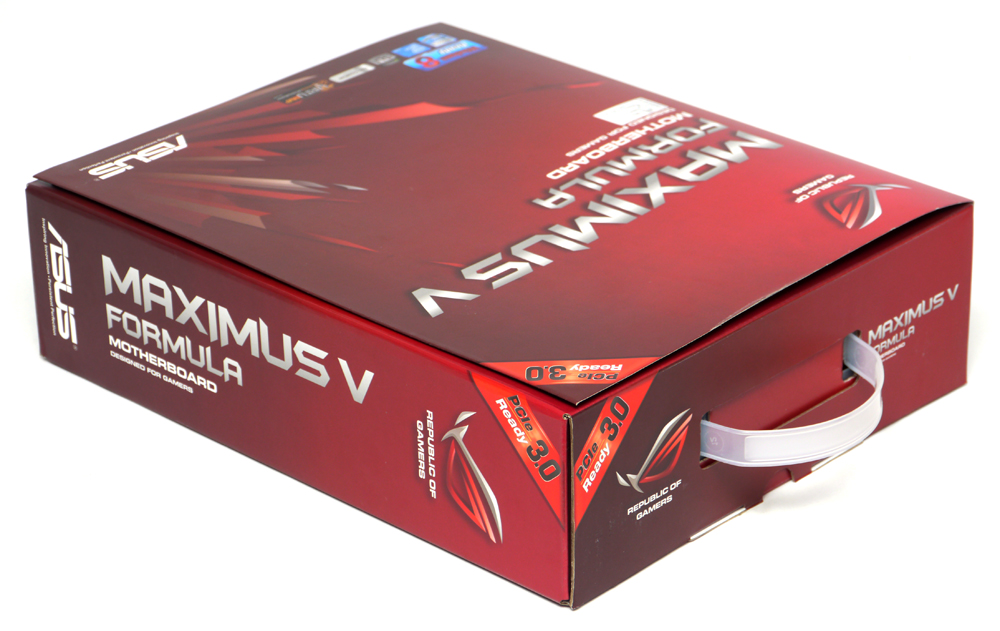
一如往常般火紅的ROG系列主機板外盒設計,
注意到左下角已經貼上Windows 8 Ready的標籤囉
http://picx.xfastest.com/elvis/MB/ASUS/M5F/01.jpg
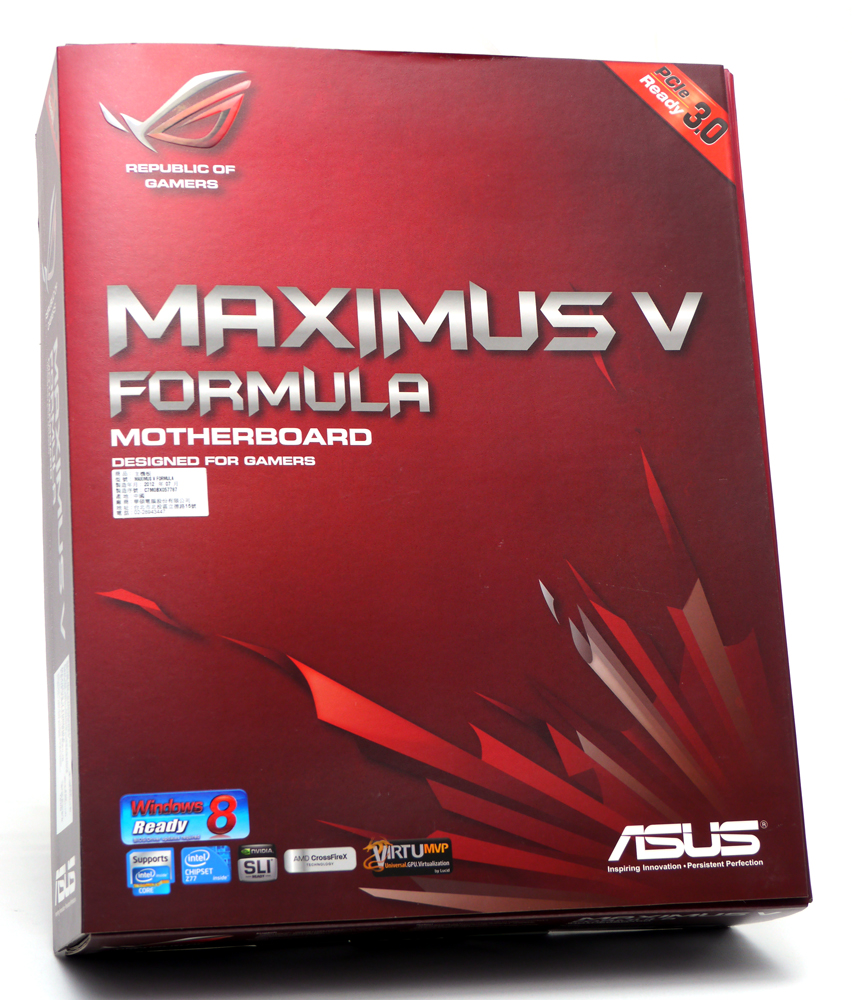
外盒表面與Rampage IV Etrweme一樣,有上一層珠光膜
http://picx.xfastest.com/elvis/MB/ASUS/M5F/02.jpg
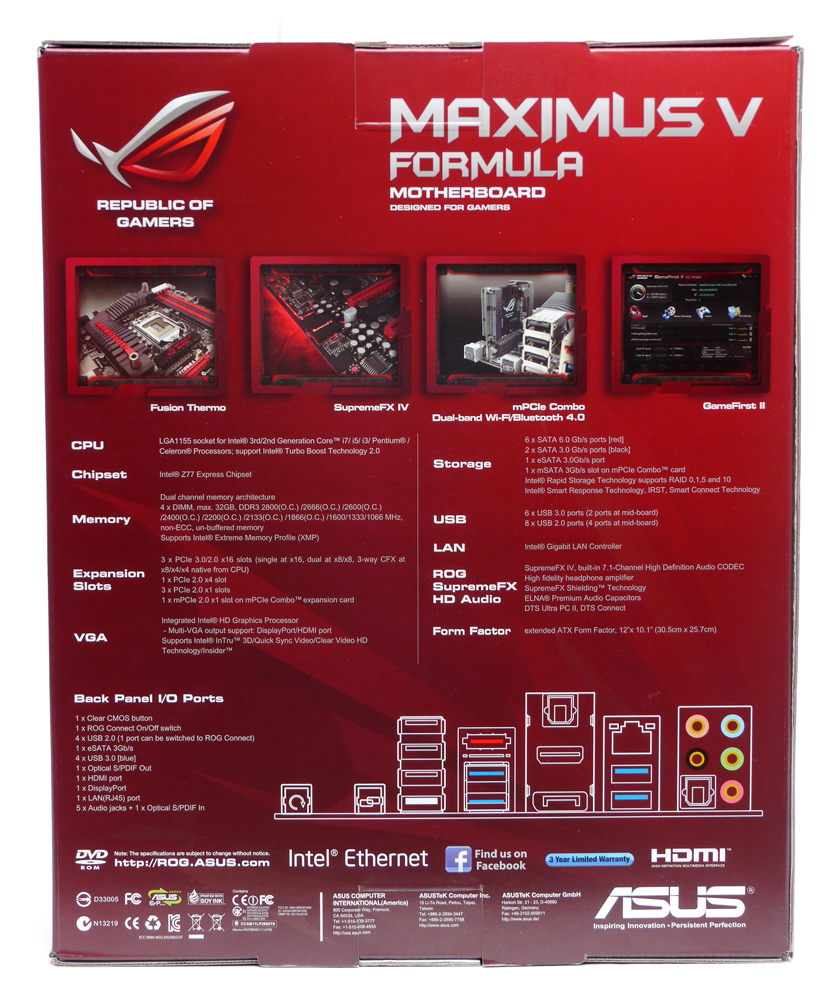
外盒背面有醒目的特色照片與詳細的規格標示
http://picx.xfastest.com/elvis/MB/ASUS/M5F/03.jpg
掀開外蓋可見透視窗內的主機板本體,外蓋內側印有特色功能介紹
http://picx.xfastest.com/elvis/MB/ASUS/M5F/04.jpg

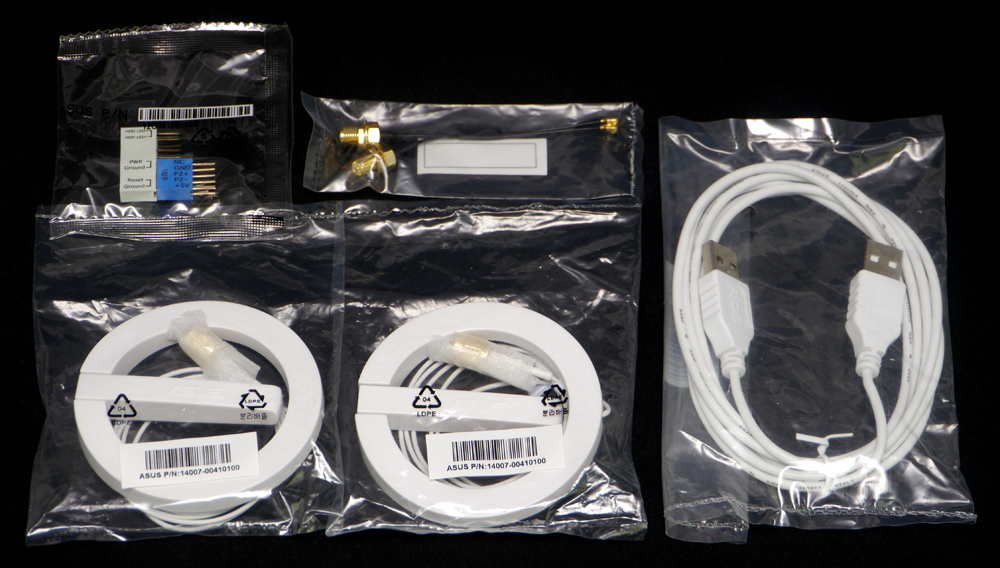
豐富的裝機配件及無線模組專用天線
http://picx.xfastest.com/elvis/MB/ASUS/M5F/05.jpg

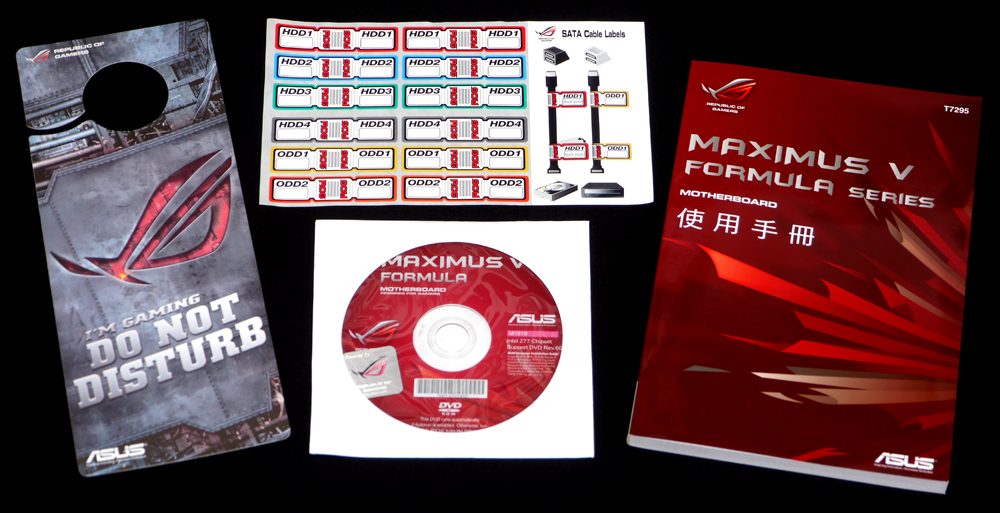
ROG專屬門把吊卡、SATA線標籤、驅動軟體光碟與說明書
http://picx.xfastest.com/elvis/MB/ASUS/M5F/07.jpg
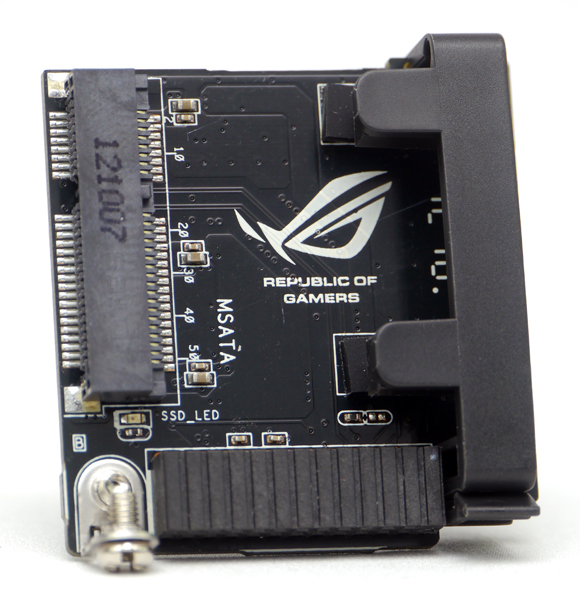
Maximus V 系列主機板專用mPCIe Combo擴充卡
http://picx.xfastest.com/elvis/MB/ASUS/M5F/08.jpg
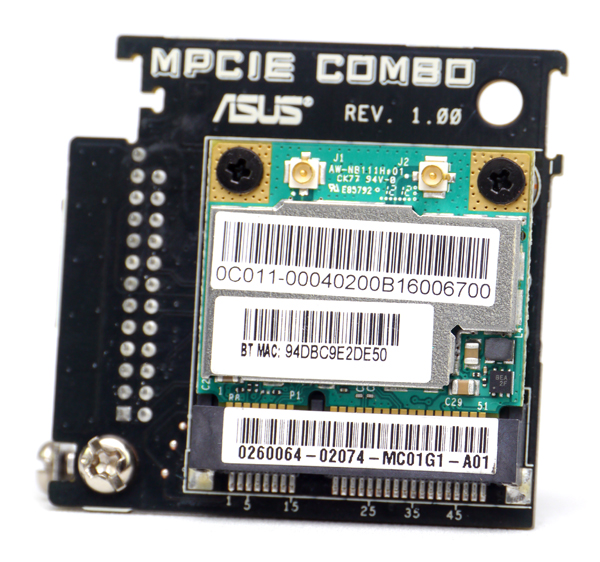
Maximus V Formula則是預先配上
擁有Bluetooth 4.0和5GHz/2.4GHz WiFi功能的無線傳輸模組
http://picx.xfastest.com/elvis/MB/ASUS/M5F/09.jpg
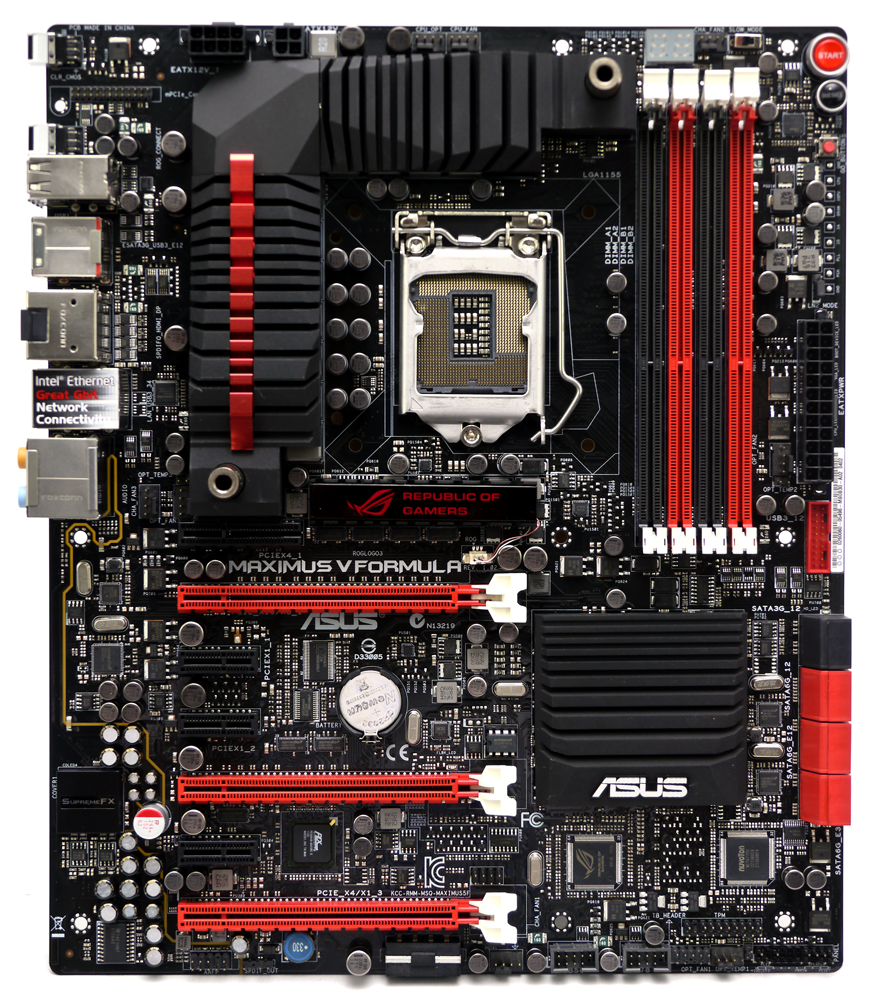
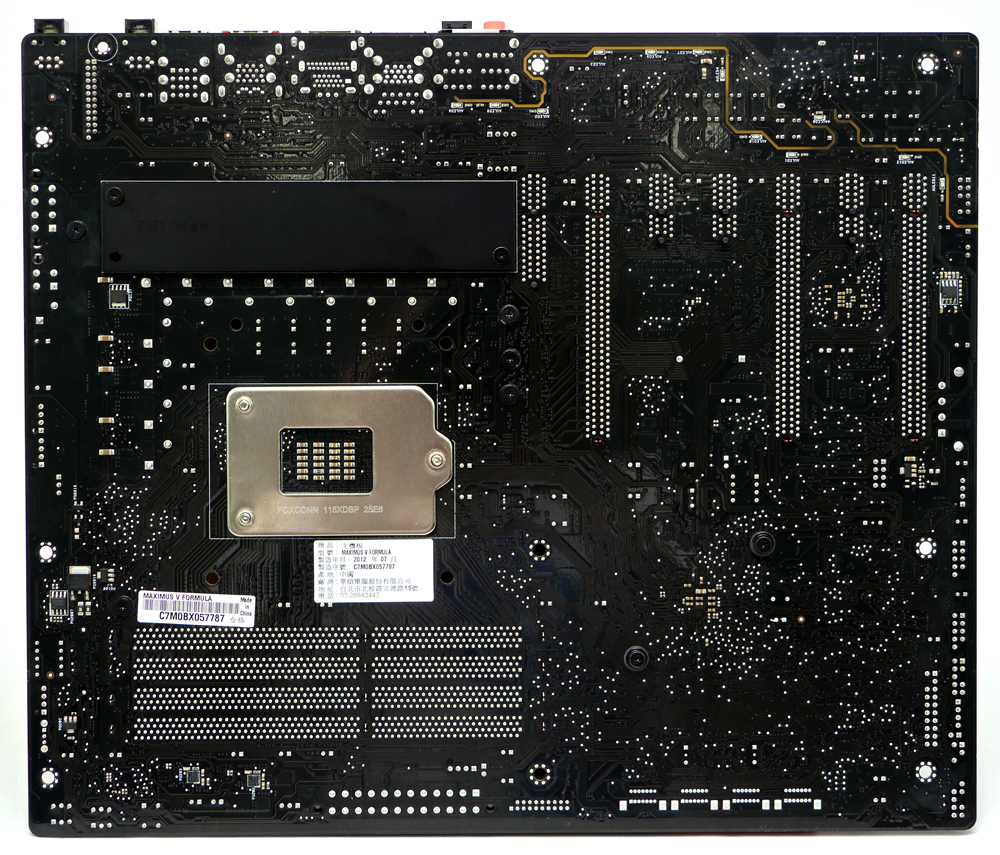
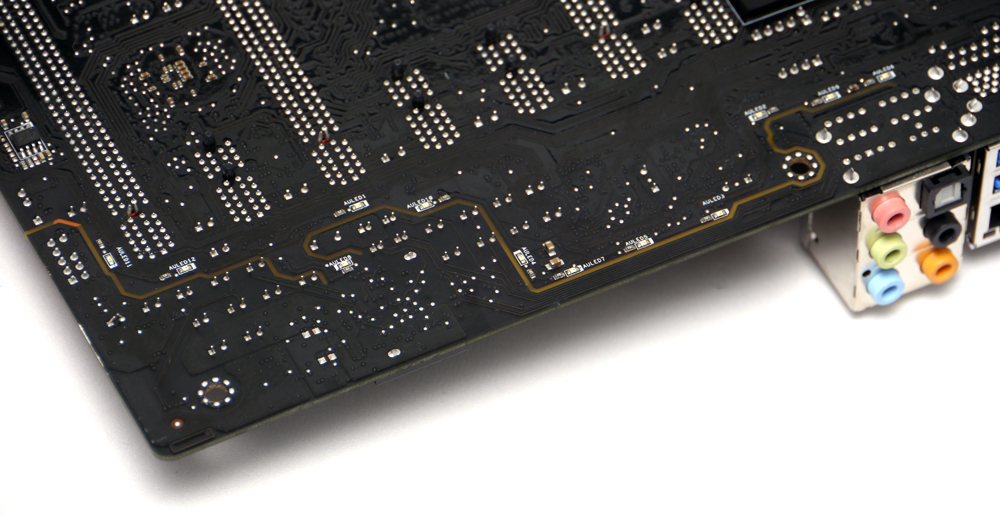
主機板背面,黑色亮面的PCB
http://picx.xfastest.com/elvis/MB/ASUS/M5F/11.jpg
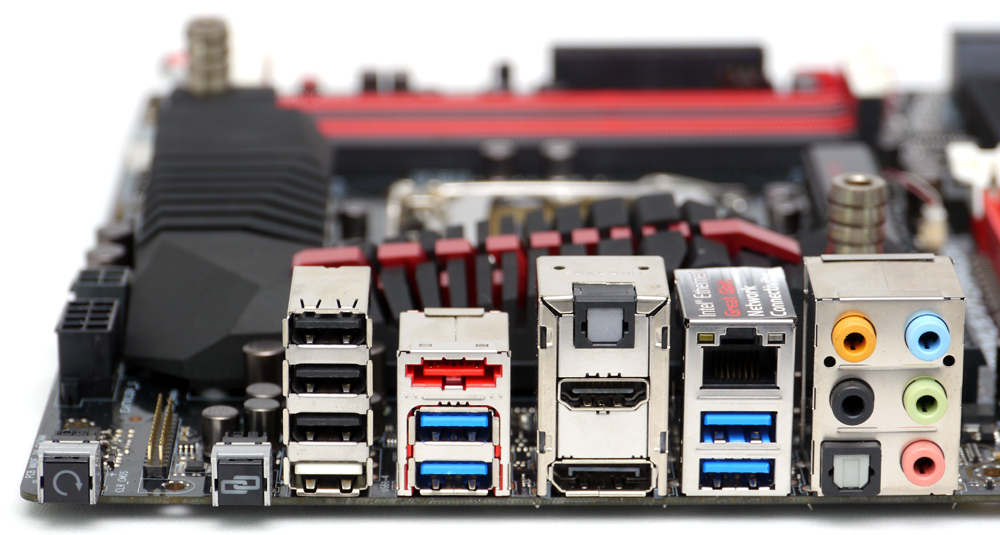
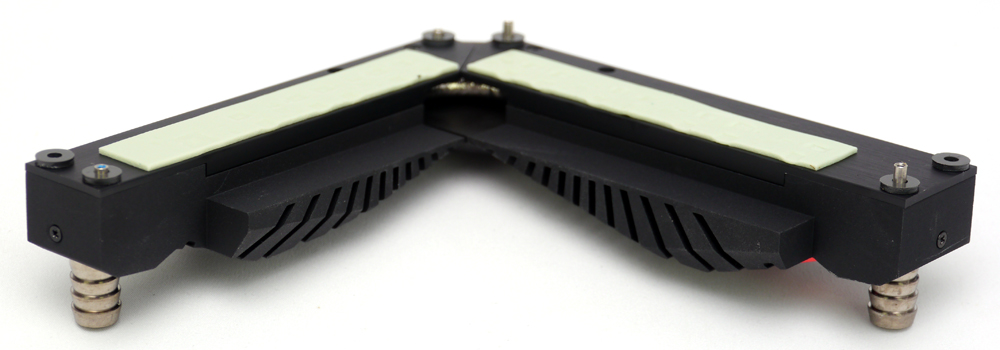
Fusion Thermo散熱模組
http://picx.xfastest.com/elvis/MB/ASUS/M5F/13.jpg
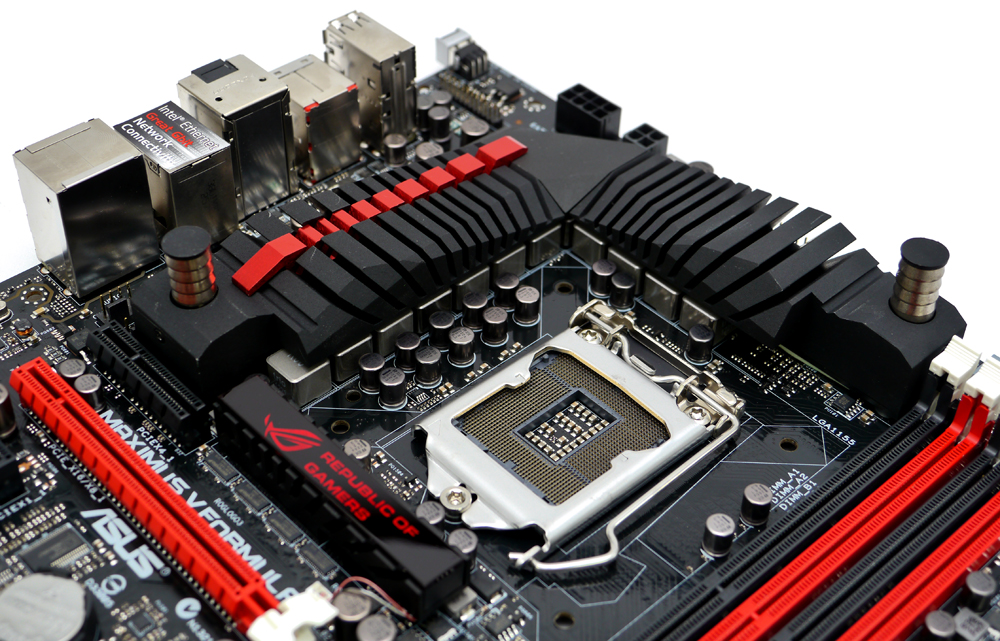
現今主機板上的熱源除了CPU之外就屬VRM供電模組的熱量最多,
尤其在超頻時必須把供電相全開的狀況下溫度更是高得嚇人,
Fusion Thermo結合銅製水冷通道、鍍鎳水冷接頭以及整合式散熱管,
包覆在空冷散熱鰭片中。
水冷通道接頭口徑對應3分管
http://picx.xfastest.com/elvis/MB/ASUS/M5F/14.jpg
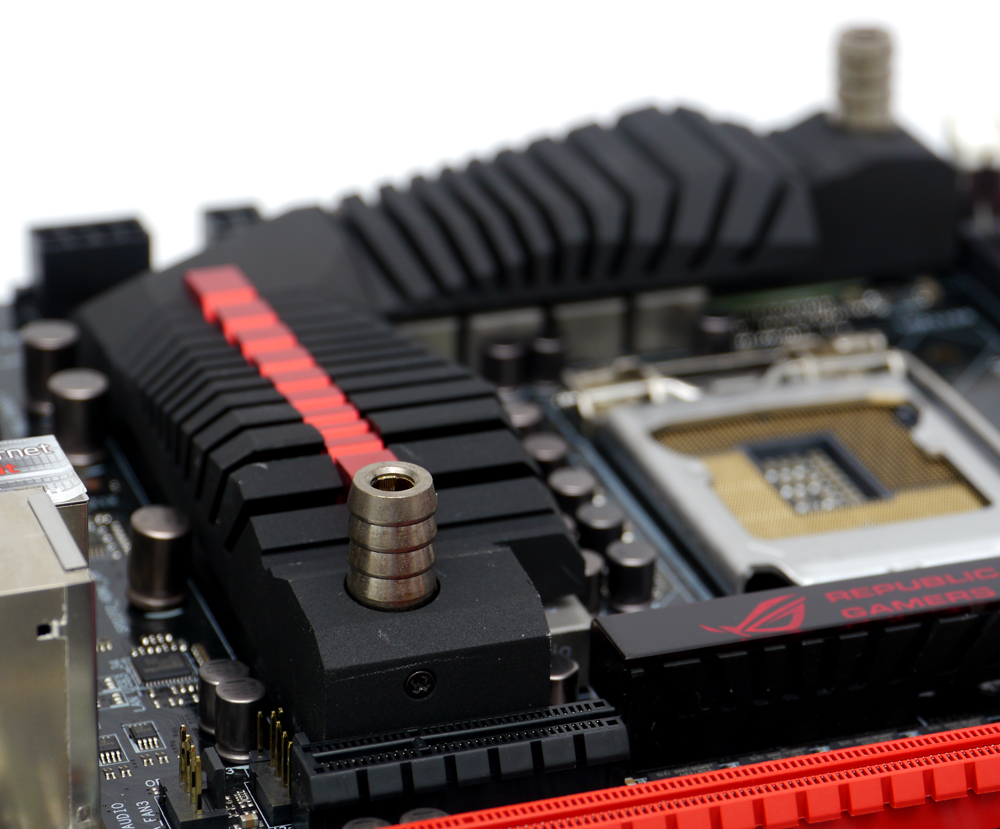
玩家可以自由選擇單純空冷環境或是更低溫的水冷環境,讓超頻效果更進一步。
http://picx.xfastest.com/elvis/MB/ASUS/M5F/15.jpg


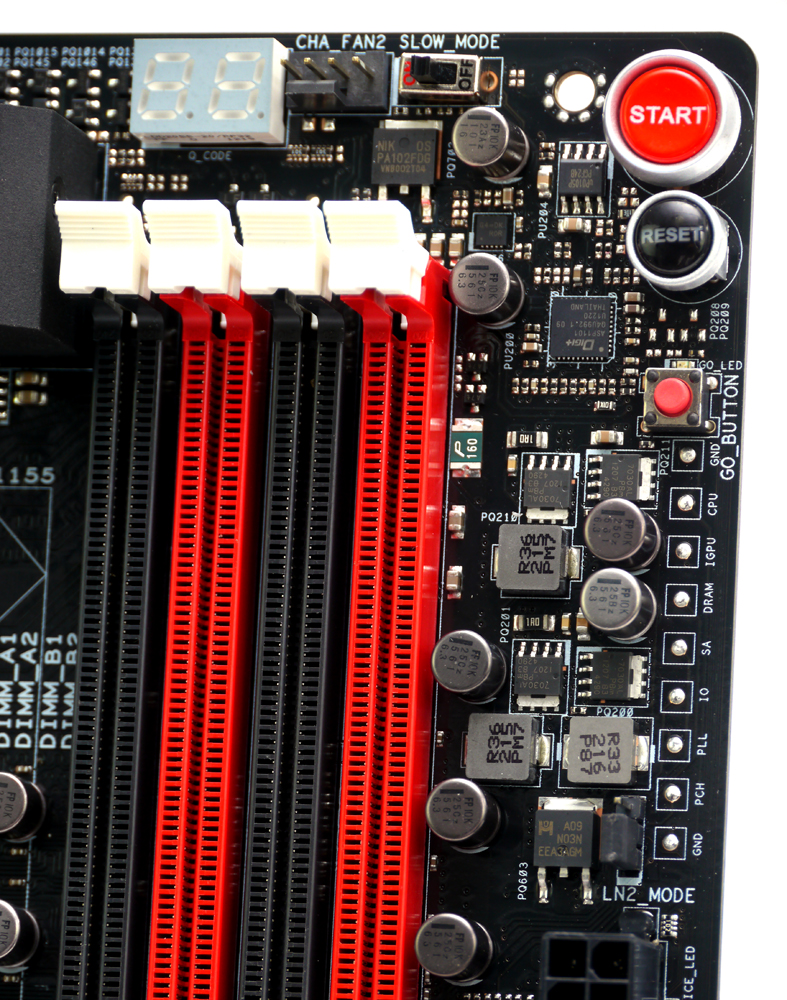
上端有Debug LED燈號、Slow Mode開關、實體電源與重置按鈕,
右側有電壓量測點、GoButton單鍵超頻按鈕與LN2 Mode開關
擴充卡插槽有3組PCI-E 3.0 x16、1組PCI-E 2.0 x4與3組PCI-E 2.0 x1
http://picx.xfastest.com/elvis/MB/ASUS/M5F/21.jpg
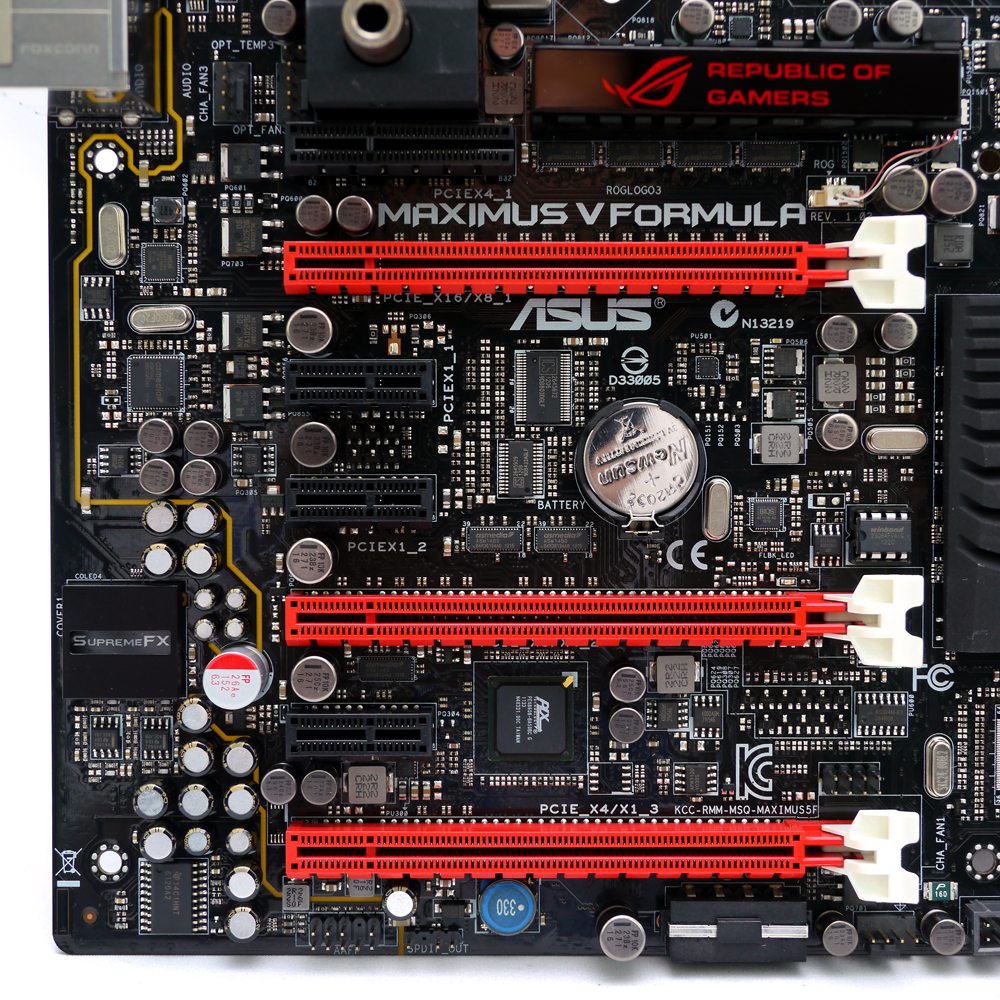
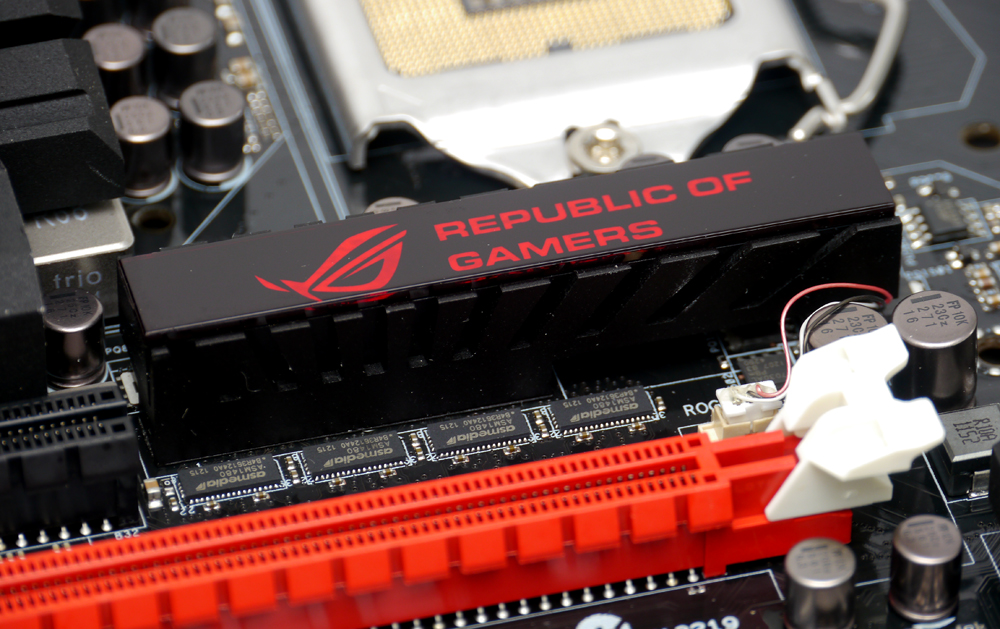
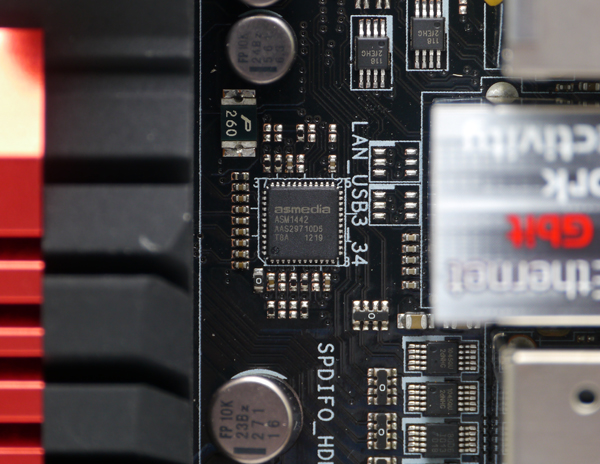
視訊轉譯晶片為asmedia ASM1442
http://picx.xfastest.com/elvis/MB/ASUS/M5F/22.jpg
網路控制晶片採用Intel WG82579V,支援GameFirst II技術
http://picx.xfastest.com/elvis/MB/ASUS/M5F/23.jpg
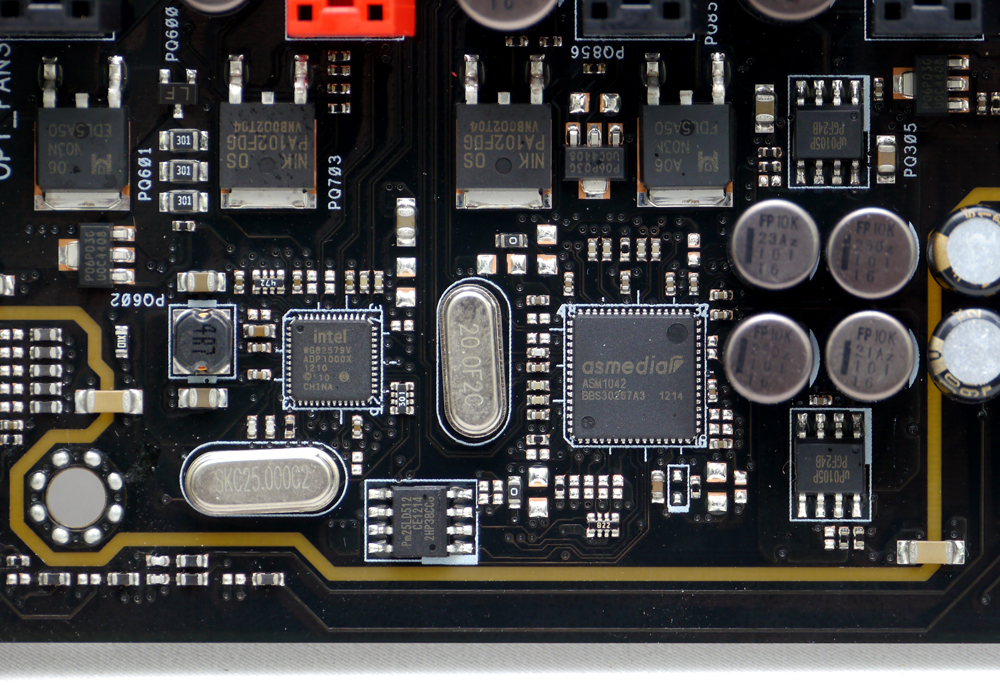
asmedia ASM1042晶片提供2孔USB 3.0到背板I/O端
SupermeFX IV 音效區塊
http://picx.xfastest.com/elvis/MB/ASUS/M5F/24.jpg
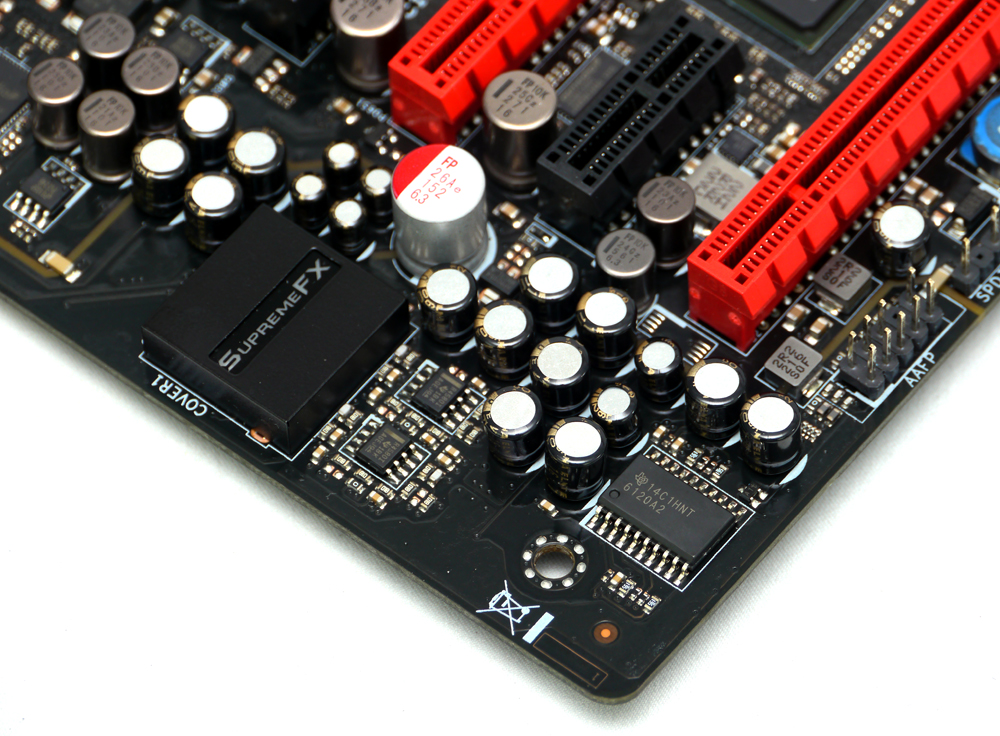
採用經過精心測試的音效專用電容,可提供更溫暖的聲音,
而內建的300歐姆耳機擴大器,可同時提供前所未有的沉重低音及更優異的遊戲音效。
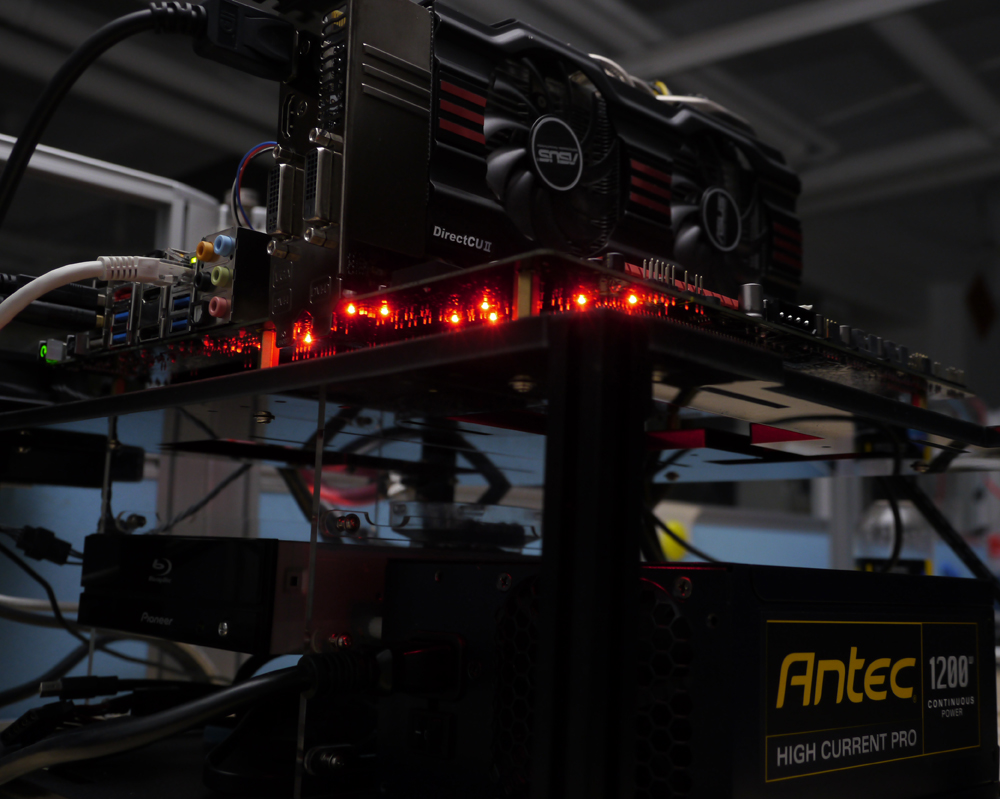
Red Line實體PCB隔離及EMI遮蔽技術可提供更純淨的音質,周圍佈滿紅光LED燈,
通電發光時非常耀眼
http://picx.xfastest.com/elvis/MB/ASUS/M5F/25.jpg
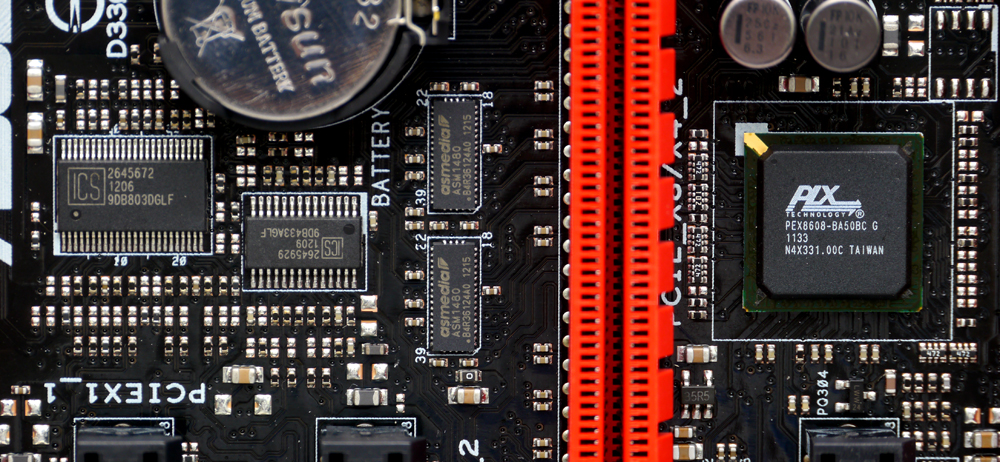
ICS時脈控制器與PLX PEX8608 PCI-E頻寬分配晶片
http://picx.xfastest.com/elvis/MB/ASUS/M5F/26.jpg
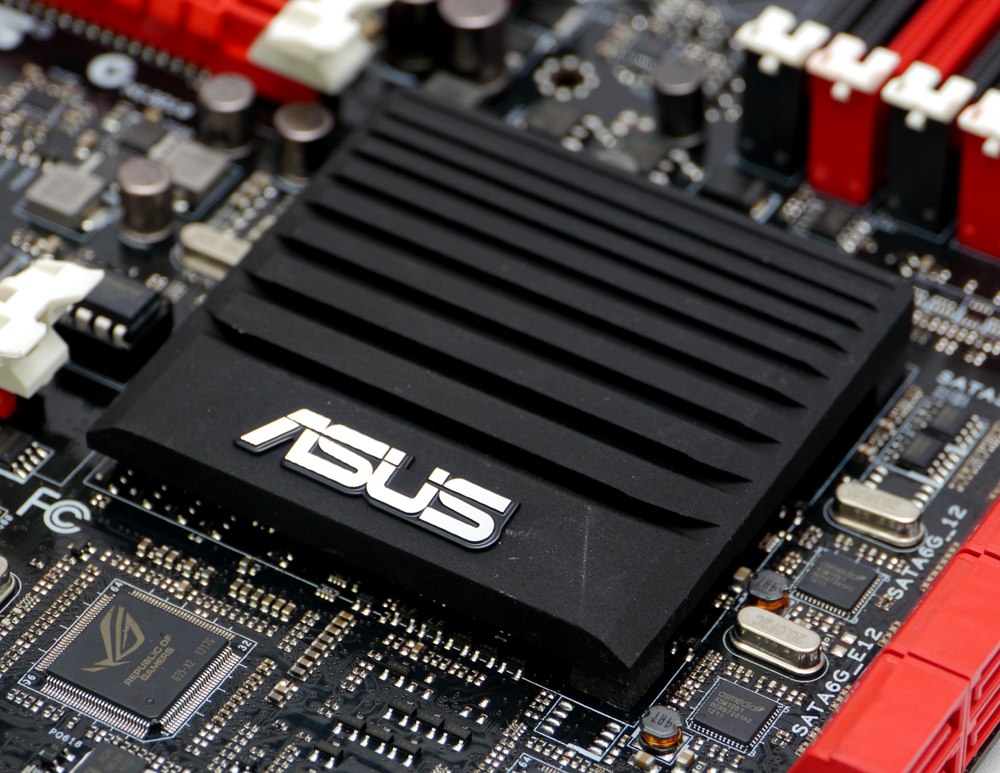
位於南橋PCH晶片週圍的iROG晶片、nuvoTon NCT6779D環境控制晶片
http://picx.xfastest.com/elvis/MB/ASUS/M5F/27.jpg

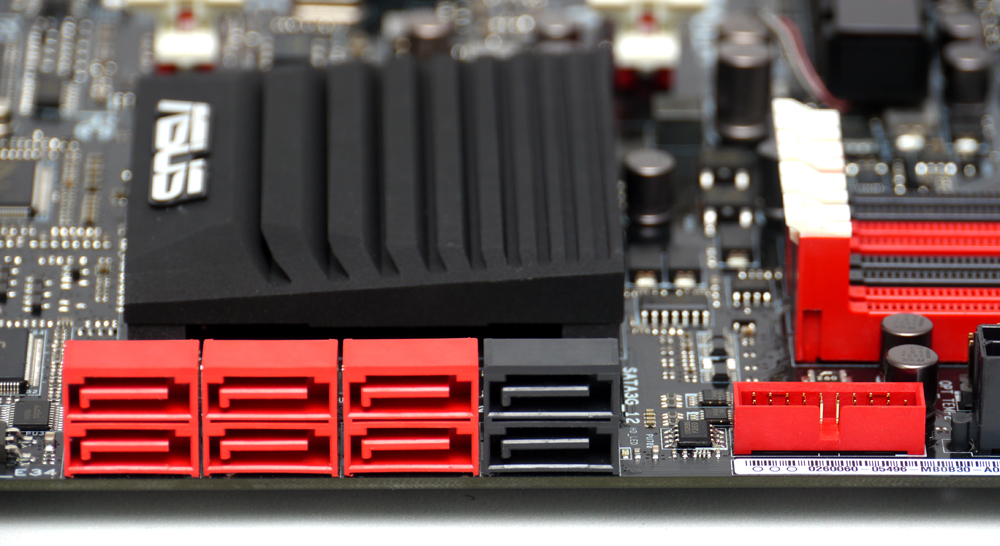
2顆asmedia ASM1061晶片提供4組SATA 6Gb/s接口
左側4孔SATA 6Gb/s接口為asmedia ASM1061晶片所管理,
其餘SATA Port與內接式USB 3.0接口的訊號皆來自南橋PCH晶片
http://picx.xfastest.com/elvis/MB/ASUS/M5F/28.jpg
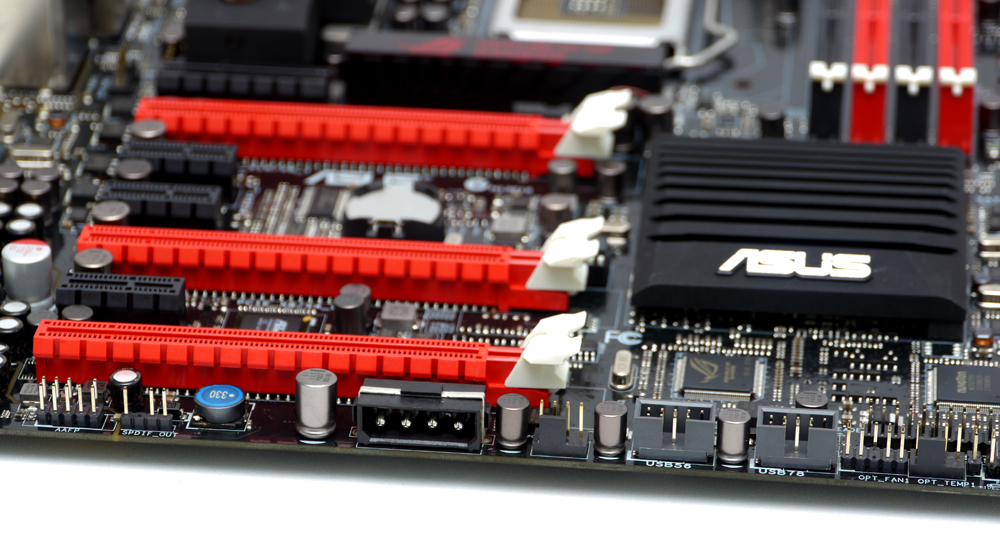
主機板下緣有一組大4pin電源接口,可提供多顯卡運作時的穩定電流
http://picx.xfastest.com/elvis/MB/ASUS/M5F/29.jpg
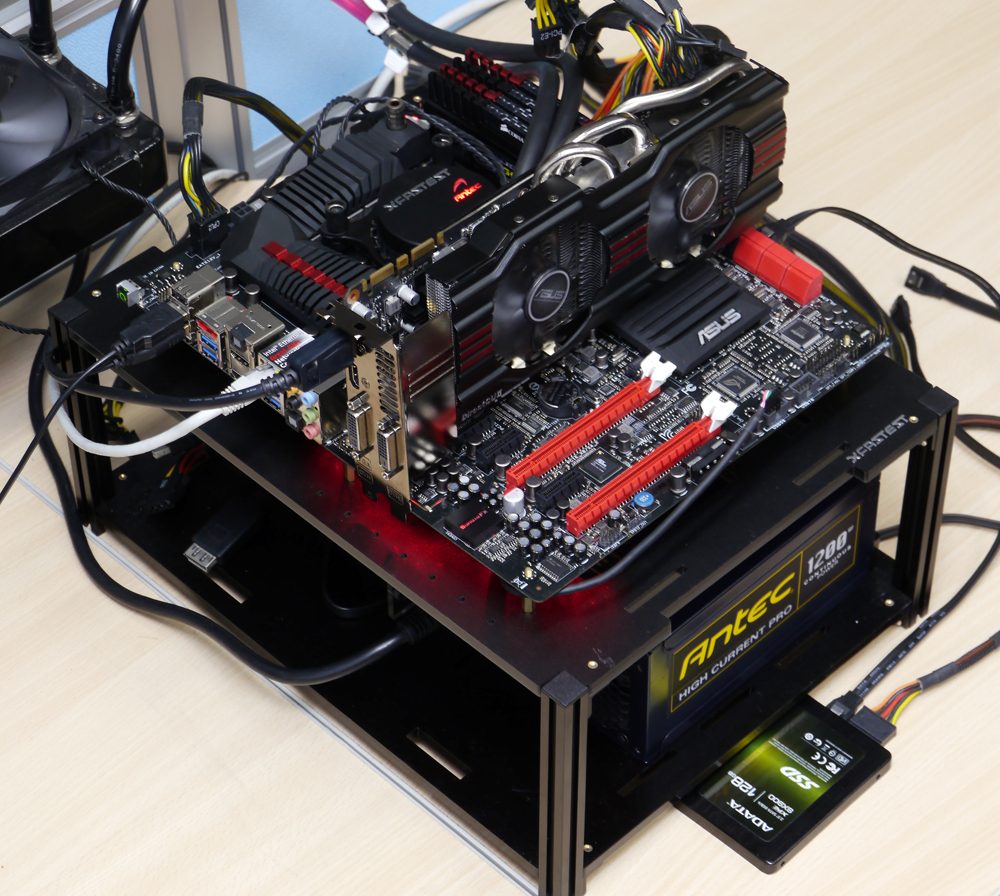
CPU: Intel Core i7-3770K @ 4.8GHz
Cooler: Antec KUHLER H2O 920 改2D冷排
Thermal Compound: Antec Formula 7
MB: ASUS ROG Maximus V Formula
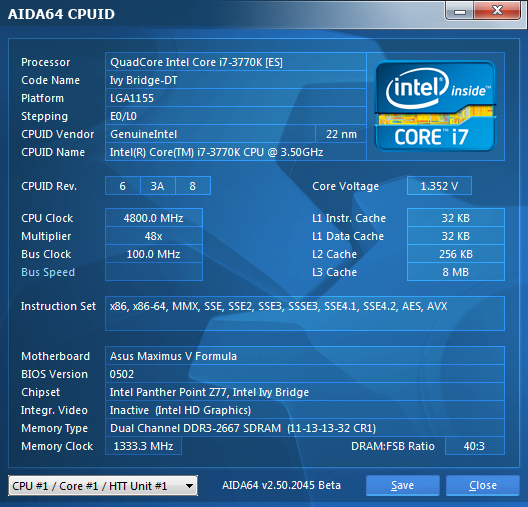
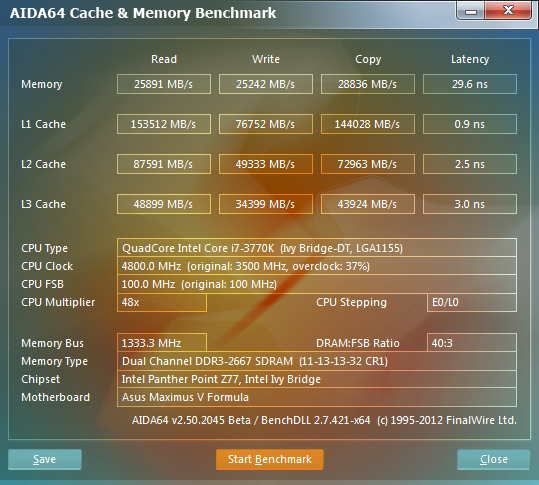
RAM: Corsair Vengeance DDR3-1866 4GB*4 @ 2666 MHz 11-13-13-32-1T
Graphic: ASUS GTX670 DirectCU II Top
Storage: Adata XPG SX900 SSD 128GB
PSU: Antec HCP-1200W
Chassis: Lubic Open Paltform 3
Monitor: Dell U2410
OS: Windows 7 64 Bit
室溫27?C,相對濕度52%
BIOS介面與Maximus V Gene非常相近,有興趣的朋友可參考http://goo.gl/pOrpr
這邊就不多做贅述了,以下進行超頻設定。
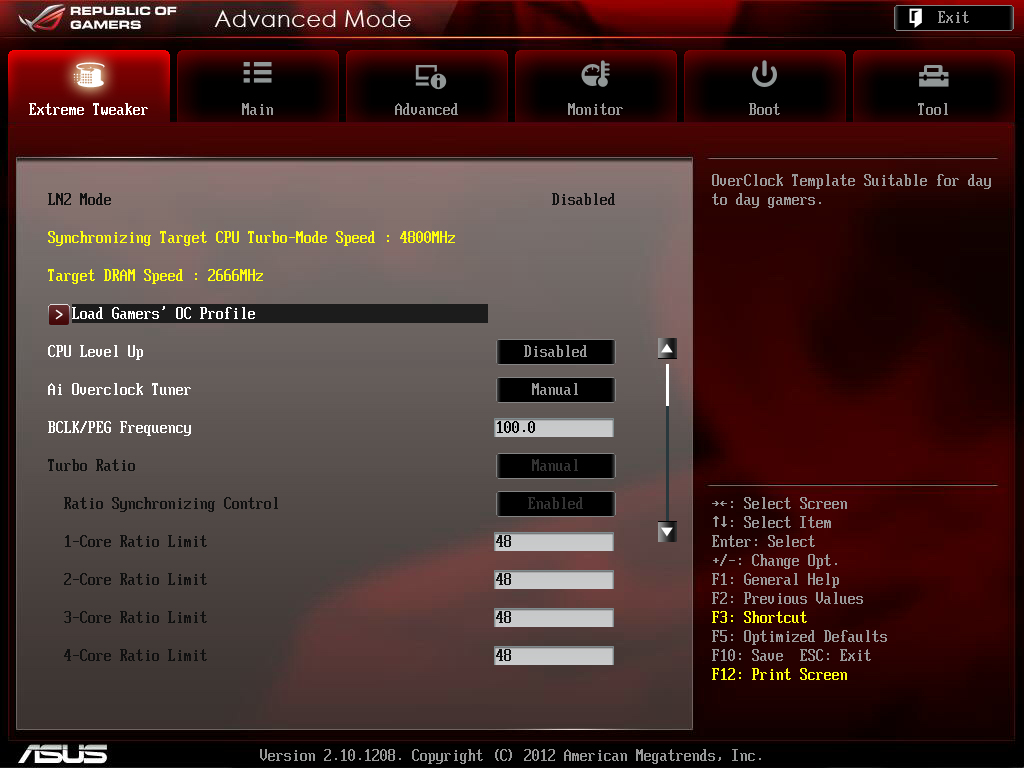
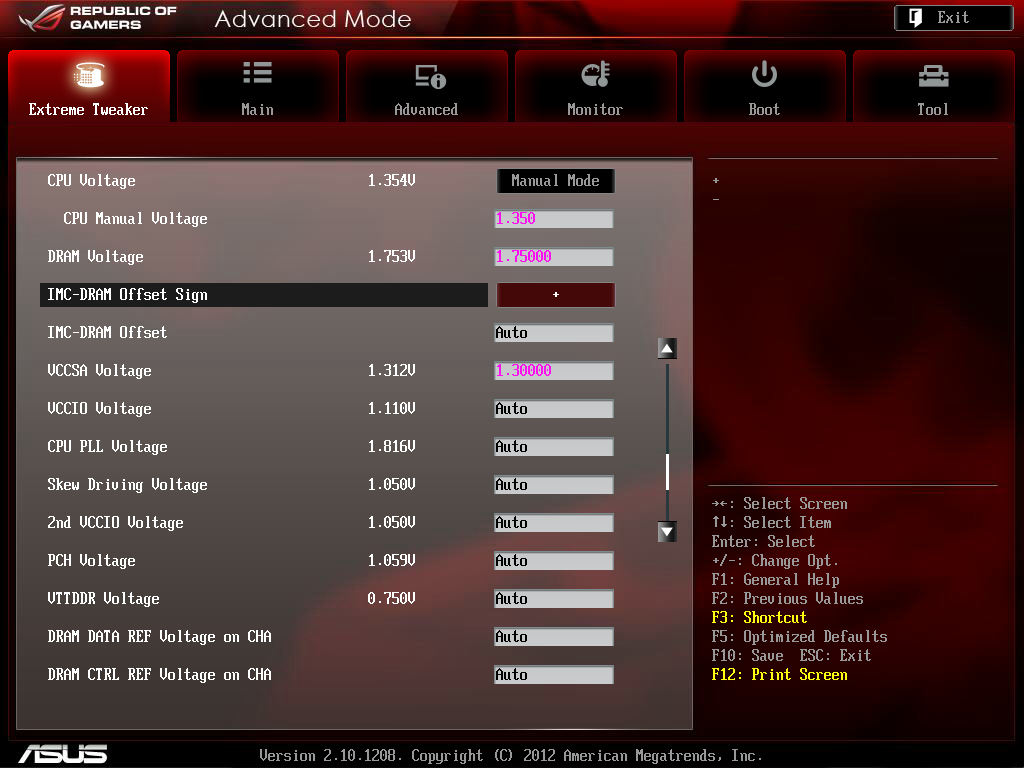
CPU超頻至4.8GHz
http://picx.xfastest.com/elvis/MB/ASUS/M5F/BIOS/01.jpg
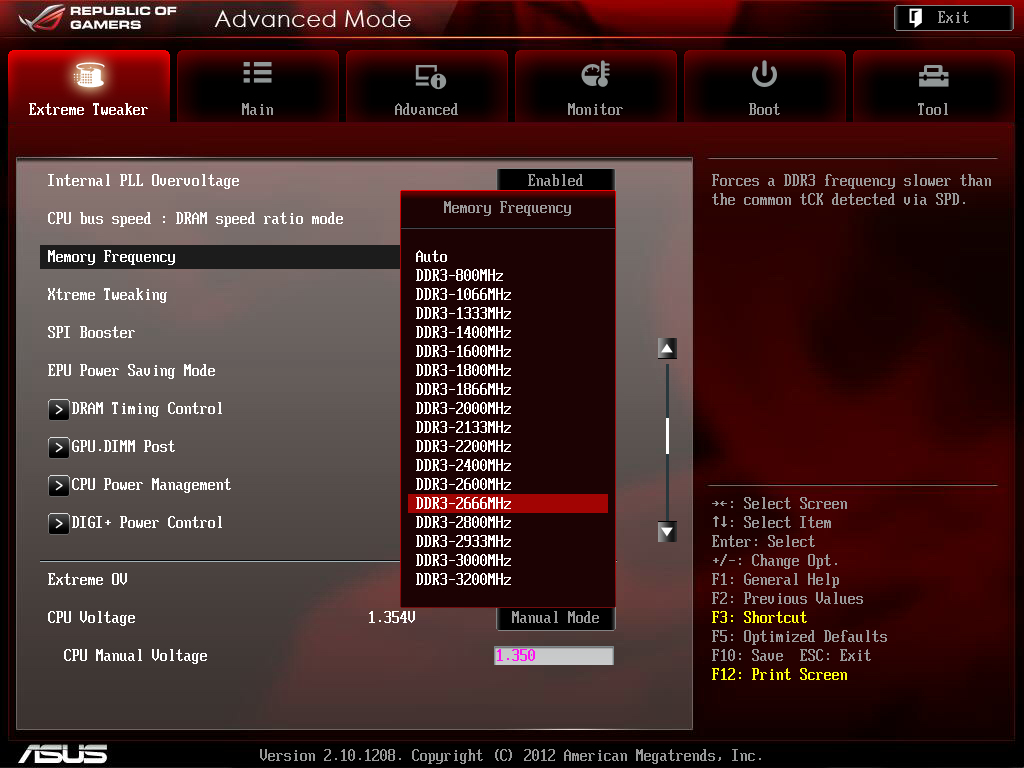
記憶體超頻至2666MHz
http://picx.xfastest.com/elvis/MB/ASUS/M5F/BIOS/02.jpg
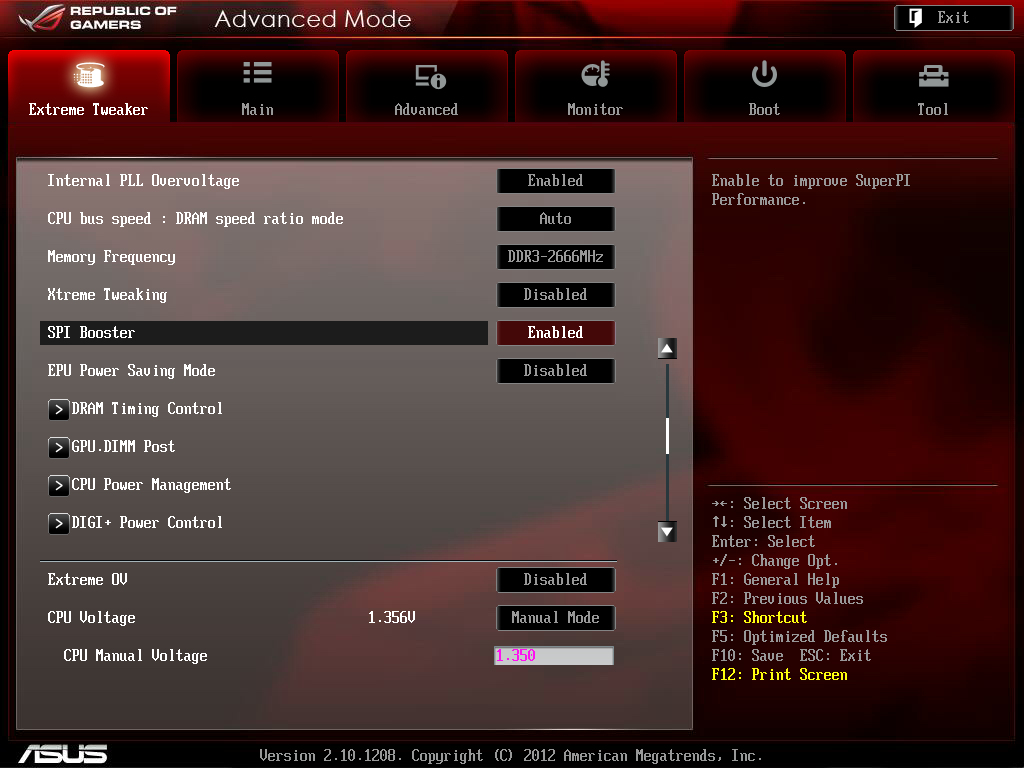
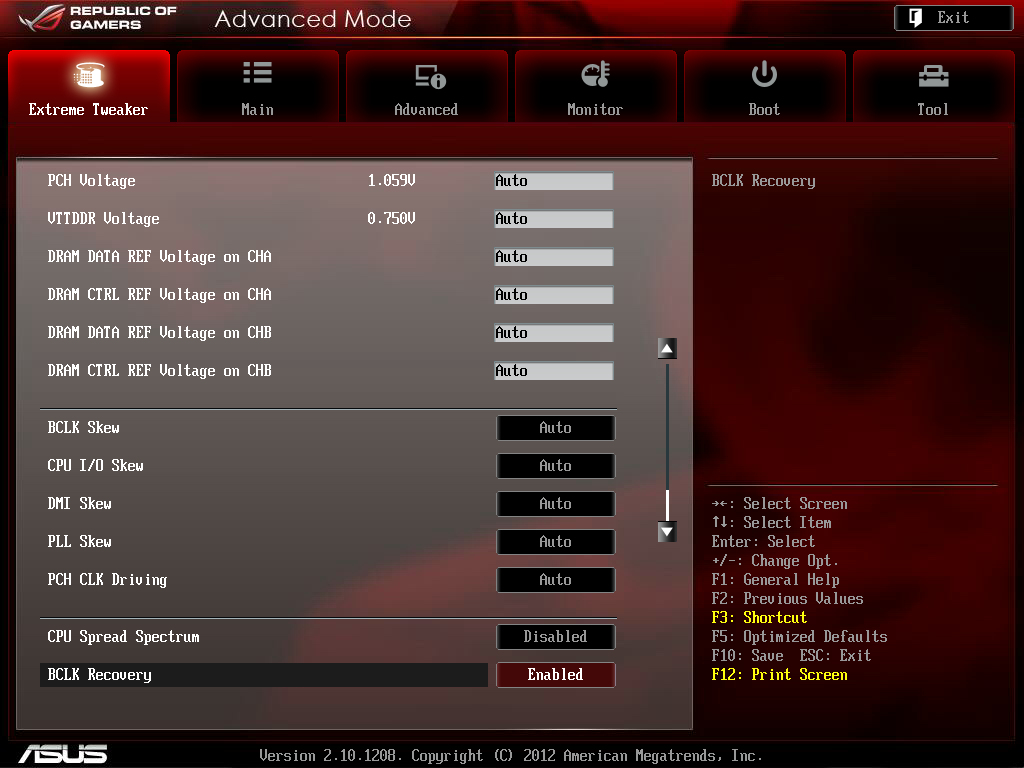
新增的SuperPi Boost功能
http://picx.xfastest.com/elvis/MB/ASUS/M5F/BIOS/03.jpg
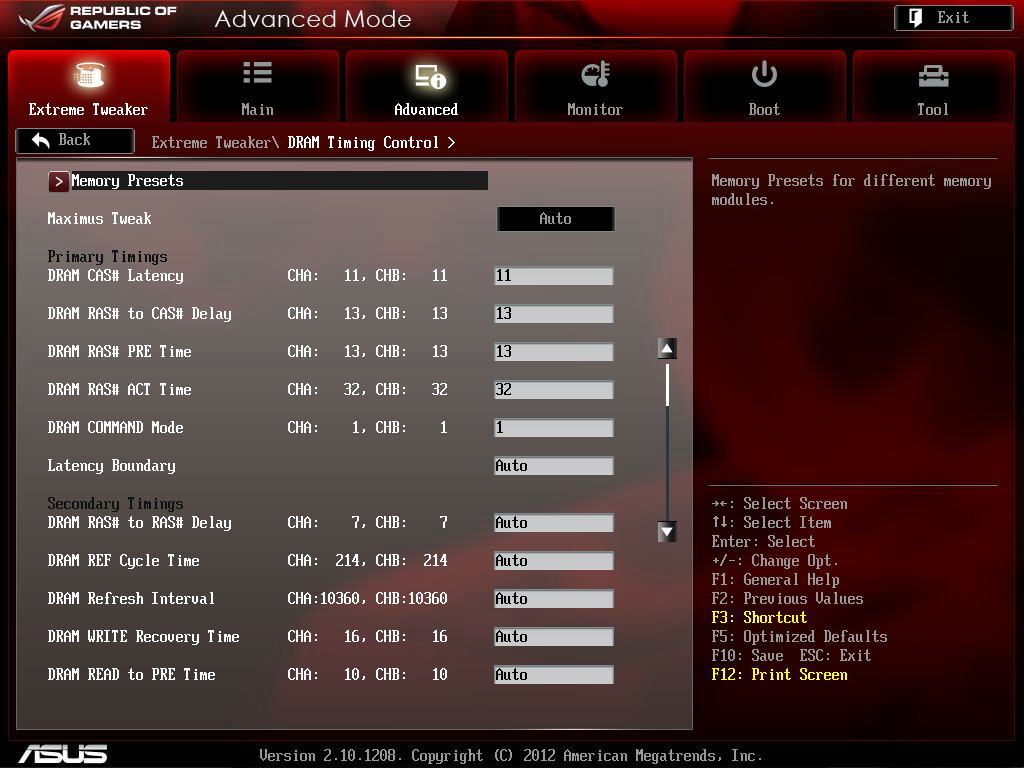
記憶體參數配合模組體質設定為11-13-13-32-1T
http://picx.xfastest.com/elvis/MB/ASUS/M5F/BIOS/04.jpg
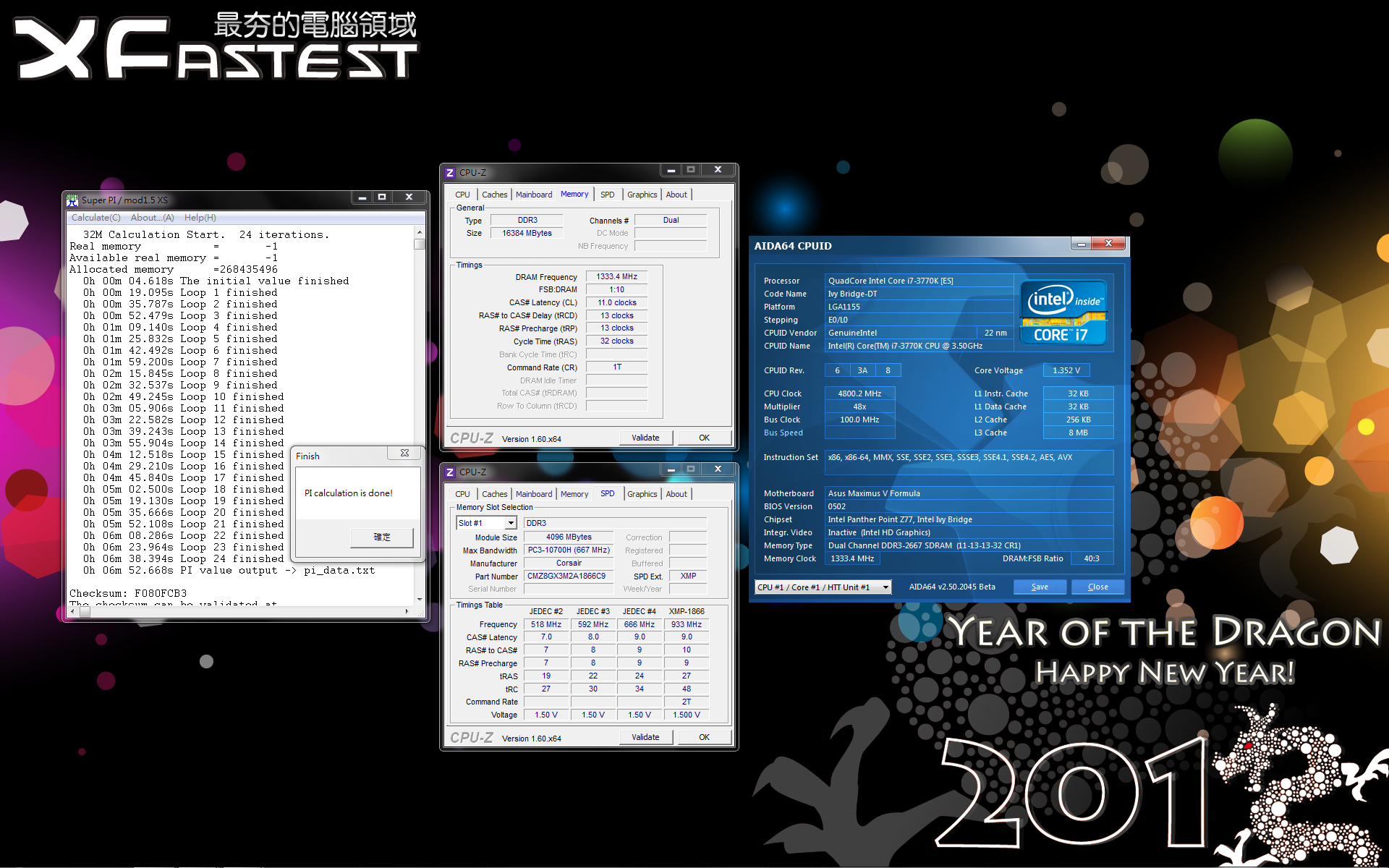
SuperPi 32M浮點運算
http://picx.xfastest.com/elvis/MB/ASUS/M5F/SuperPi.png
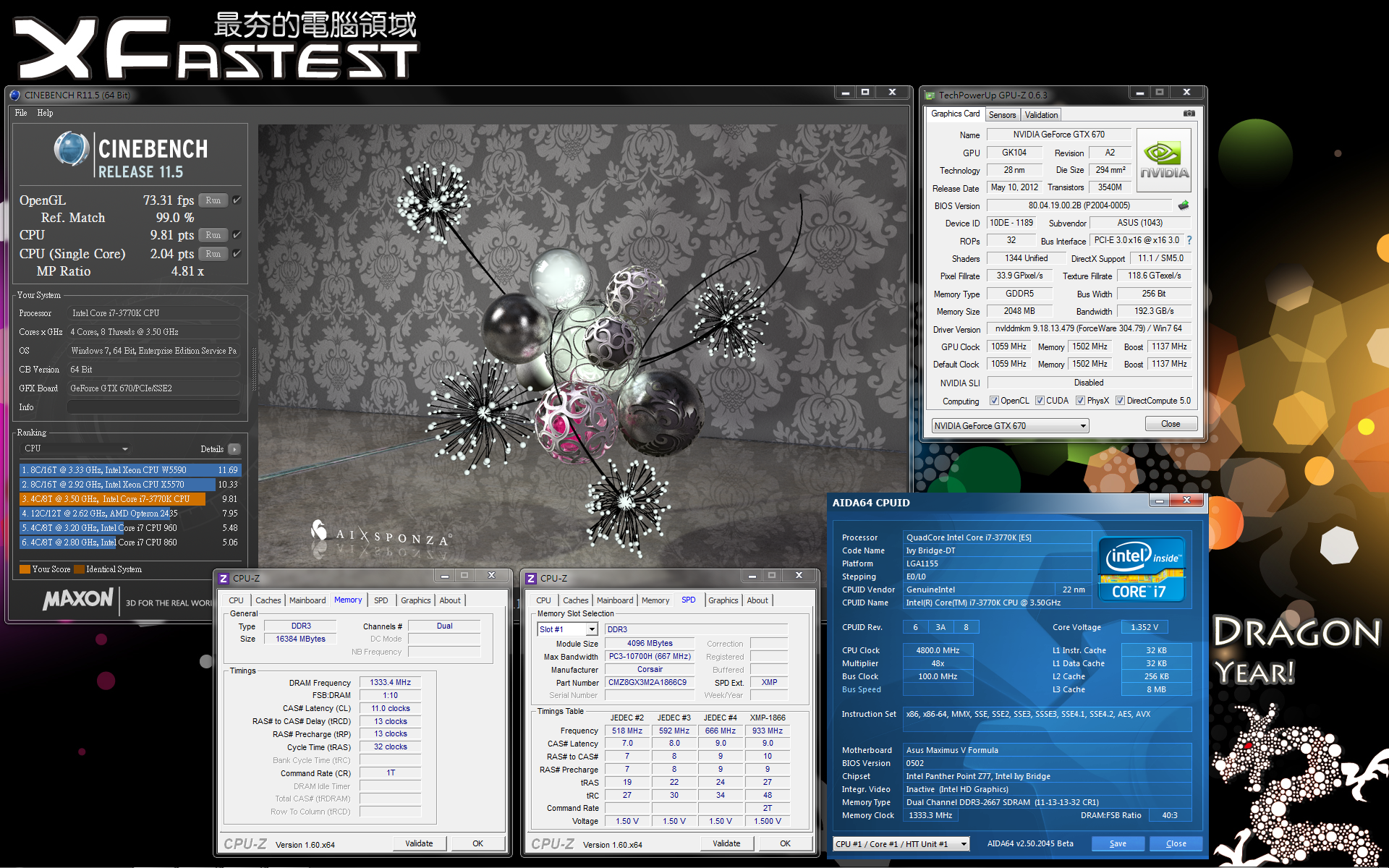
Cinebench多執行緒圖形渲染
http://picx.xfastest.com/elvis/MB/ASUS/M5F/Cinebench.png
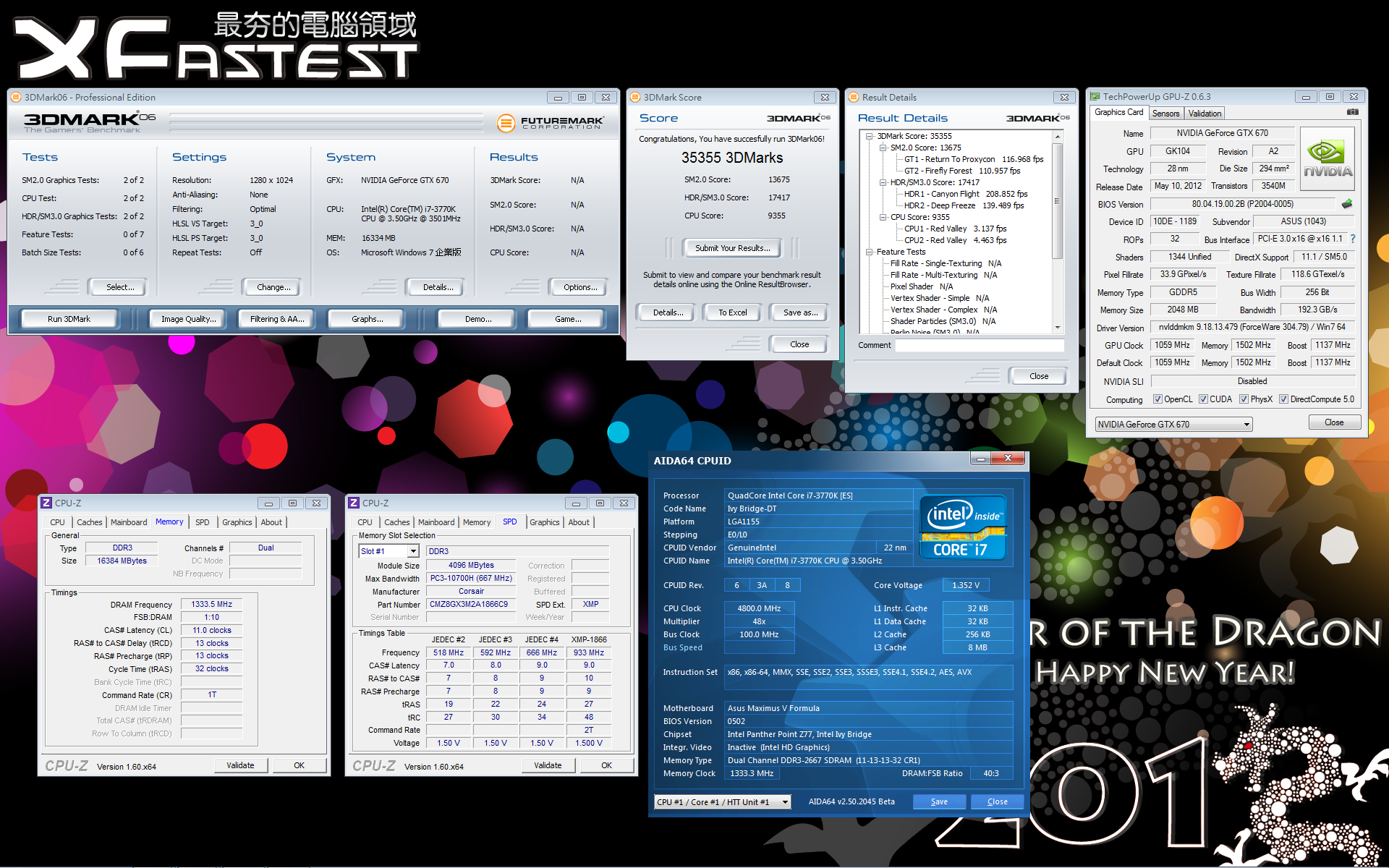
3DMark06 (DirectX 9)
http://picx.xfastest.com/elvis/Graphic/ASUS/GTX670-DC2T-2GD5/3DMark06.png
3DMark Vantage Performance (DirectX 10)
http://picx.xfastest.com/elvis/Graphic/ASUS/GTX670-DC2T-2GD5/3DMarkVantageP.png

3DMark Vantage Extreme (DirectX 10)
http://picx.xfastest.com/elvis/Graphic/ASUS/GTX670-DC2T-2GD5/3DMarkVantageX.png
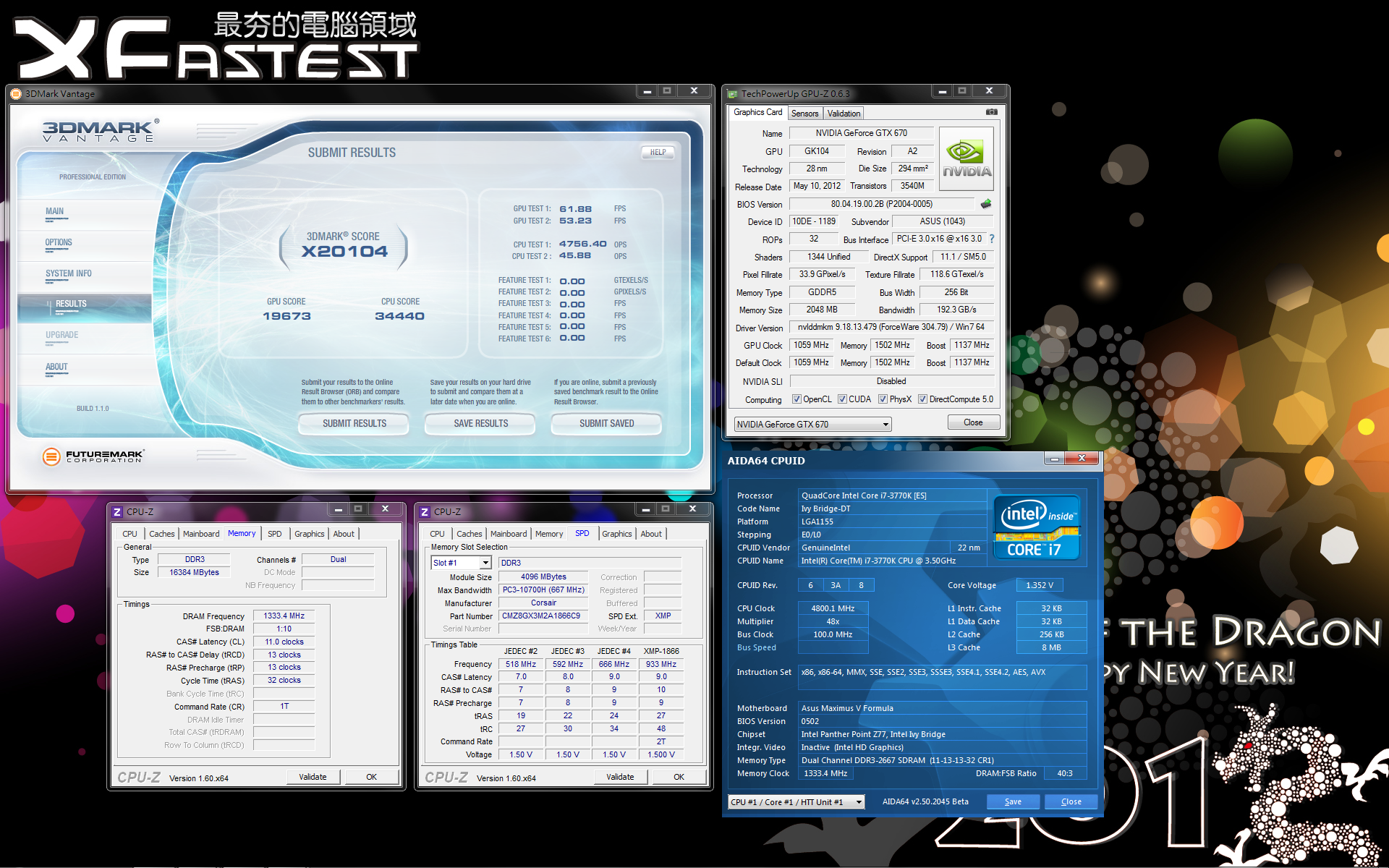
3DMark11 Performance (DirectX 11)
http://picx.xfastest.com/elvis/Graphic/ASUS/GTX670-DC2T-2GD5/3DMark11P.png
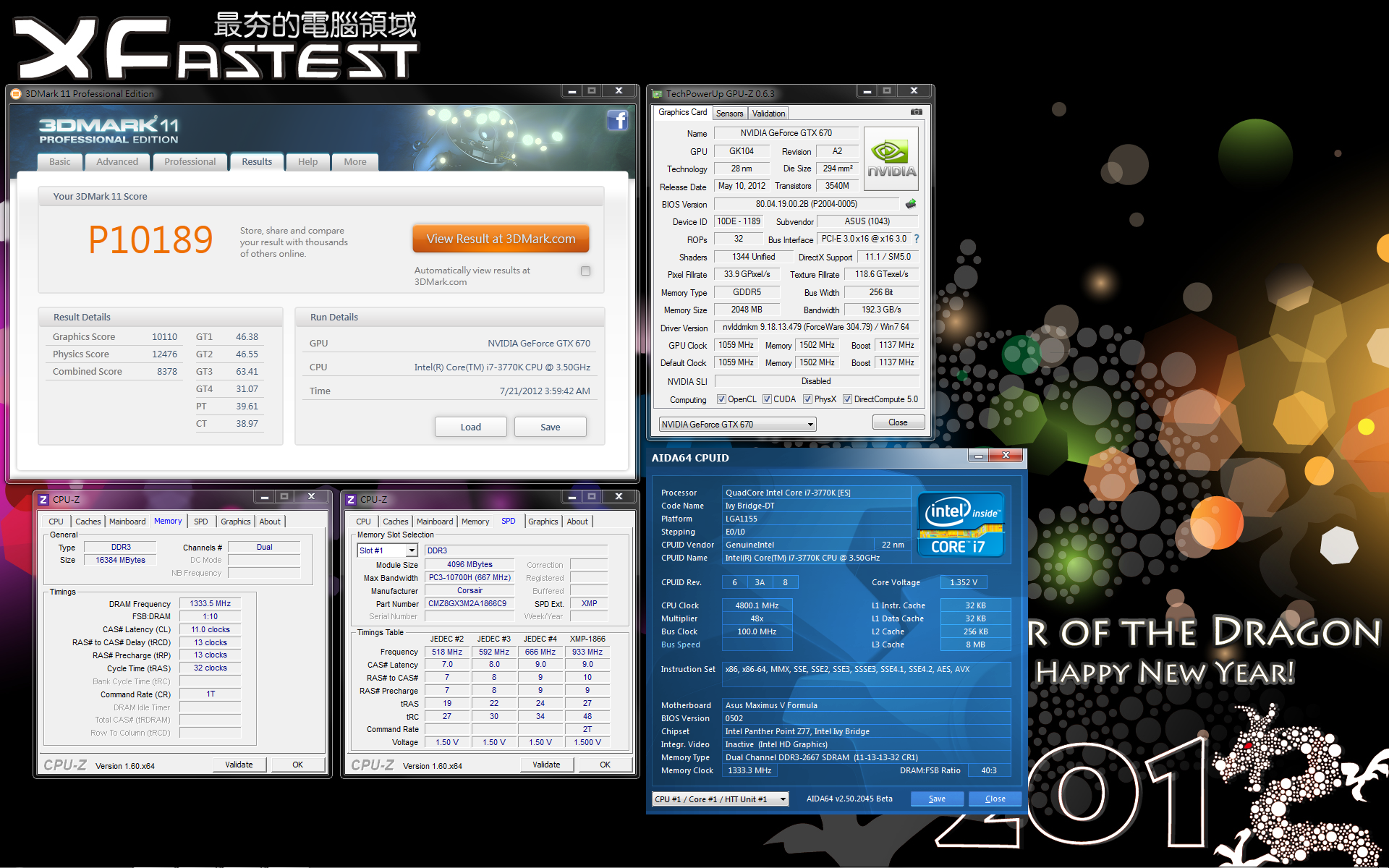
3DMark11 Extreme (DirectX 11)
http://picx.xfastest.com/elvis/Graphic/ASUS/GTX670-DC2T-2GD5/3DMark11X.png
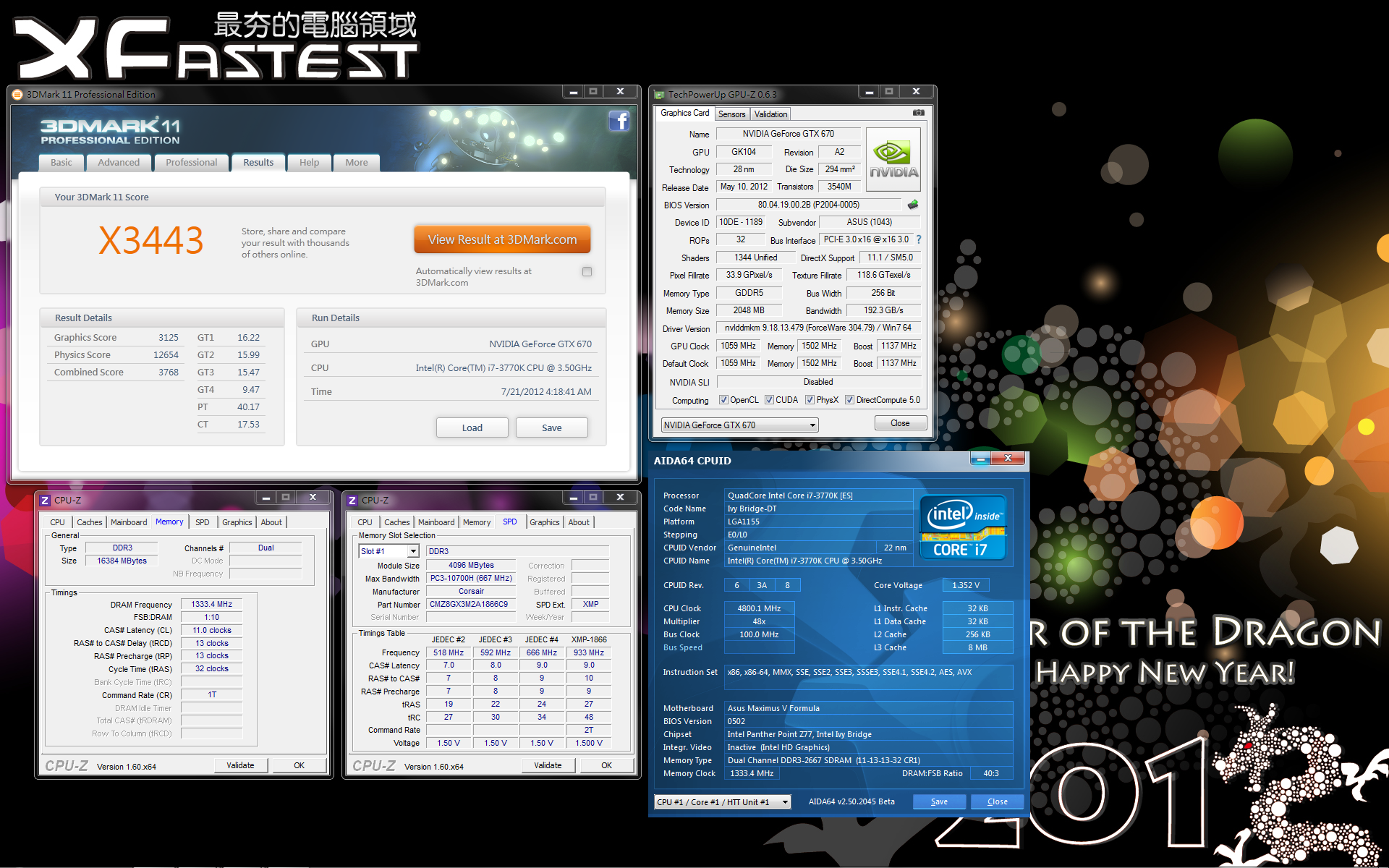
總結
身為ROG系列主機板,Maximus V Formula在超頻方面的表現無庸置疑,
可供玩家調校的選項相當豐富。
Fusion Thermo的散熱設計可說是水冷裝機玩家的一大福音,
水冷散熱裝置夠強的話確實可在一般家用環境達成更好的超頻成果,
當然只想使用空冷超頻的玩家們也別擔心,Fusion Thermo的空冷散熱效果也相當不錯。
SupremeFX IV採用音效專用電容並搭配耳機擴大器,
再加上具視覺效果的Red Line將實體PCB隔離以遮蔽EMI干擾,
可說是華碩主機板內建音效的一大進步。
至於ThunderFX遊戲專用外接式DAC這次無緣與各位見面,
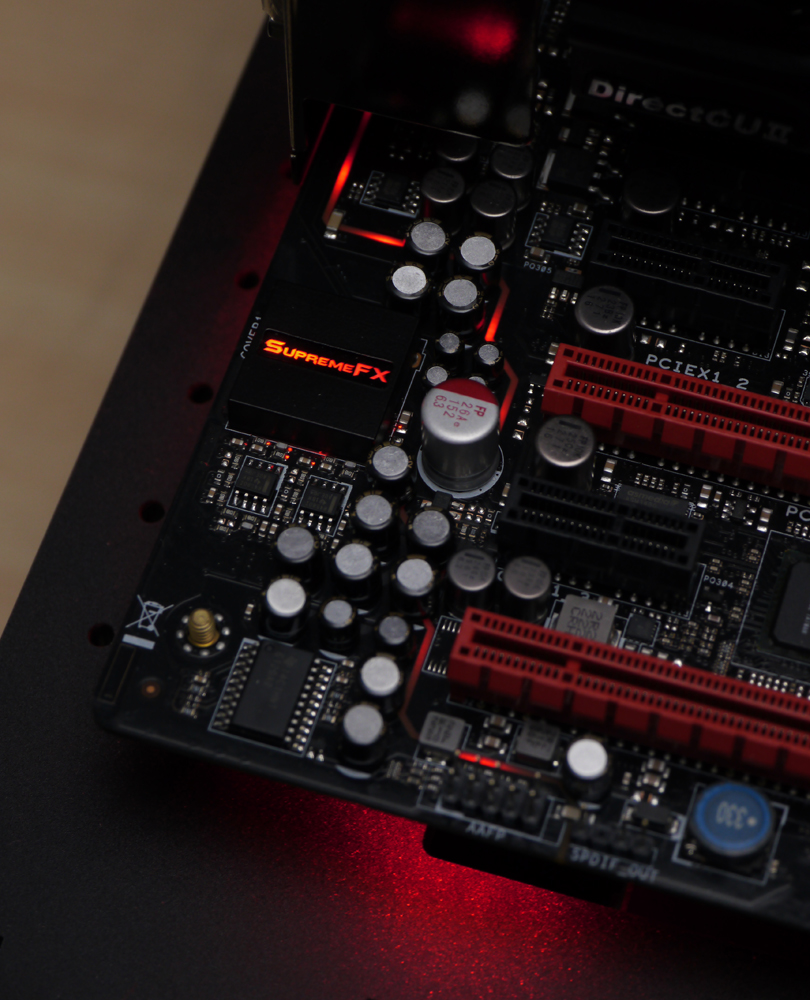
有機會入手會再和大家分享。最後分享Red Line耀眼的光芒,感謝您的收看!
http://picx.xfastest.com/elvis/MB/ASUS/M5F/31.jpg
--
推
08/10 19:09,
08/10 19:09
--
※ 發信站: 批踢踢實業坊(ptt.cc)
◆ From: 114.36.49.234
推
07/30 15:27, , 1F
07/30 15:27, 1F
推
07/30 15:47, , 2F
07/30 15:47, 2F
推
07/30 15:49, , 3F
07/30 15:49, 3F
推
07/30 15:49, , 4F
07/30 15:49, 4F
推
07/30 16:15, , 5F
07/30 16:15, 5F
→
07/30 16:15, , 6F
07/30 16:15, 6F
推
07/30 16:25, , 7F
07/30 16:25, 7F
推
07/30 16:29, , 8F
07/30 16:29, 8F
→
07/30 16:29, , 9F
07/30 16:29, 9F
→
07/30 16:30, , 10F
07/30 16:30, 10F
→
07/30 16:33, , 11F
07/30 16:33, 11F
推
07/30 17:07, , 12F
07/30 17:07, 12F
推
07/30 18:33, , 13F
07/30 18:33, 13F
推
07/30 18:34, , 14F
07/30 18:34, 14F
推
07/30 18:42, , 15F
07/30 18:42, 15F
推
07/30 18:59, , 16F
07/30 18:59, 16F
推
07/30 19:13, , 17F
07/30 19:13, 17F
推
07/30 20:14, , 18F
07/30 20:14, 18F
→
07/30 20:30, , 19F
07/30 20:30, 19F
推
07/30 20:57, , 20F
07/30 20:57, 20F
推
07/30 21:02, , 21F
07/30 21:02, 21F
推
07/30 21:12, , 22F
07/30 21:12, 22F
→
07/31 00:37, , 23F
07/31 00:37, 23F
推
07/31 02:20, , 24F
07/31 02:20, 24F
推
07/31 07:05, , 25F
07/31 07:05, 25F
推
07/31 09:30, , 26F
07/31 09:30, 26F
PC_Shopping 近期熱門文章
PTT數位生活區 即時熱門文章

