[心得] COMODO V5 新手設定(自動雲查殺sandbox)
http://www.avpclub.ddns.info/discuz/viewthread.php?tid=26538
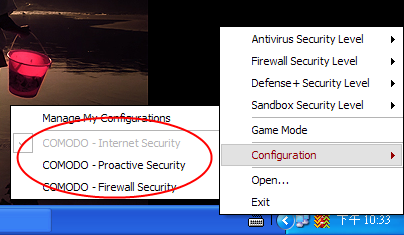
1.這絕對是第一步,千萬注意
對著托盤圖示右鍵,configuration,不要選擇proactive,另外兩個隨便你
http://i234.photobucket.com/albums/ee153/a256886572008/bf/CZ1.png
2.AntiVirus 部份
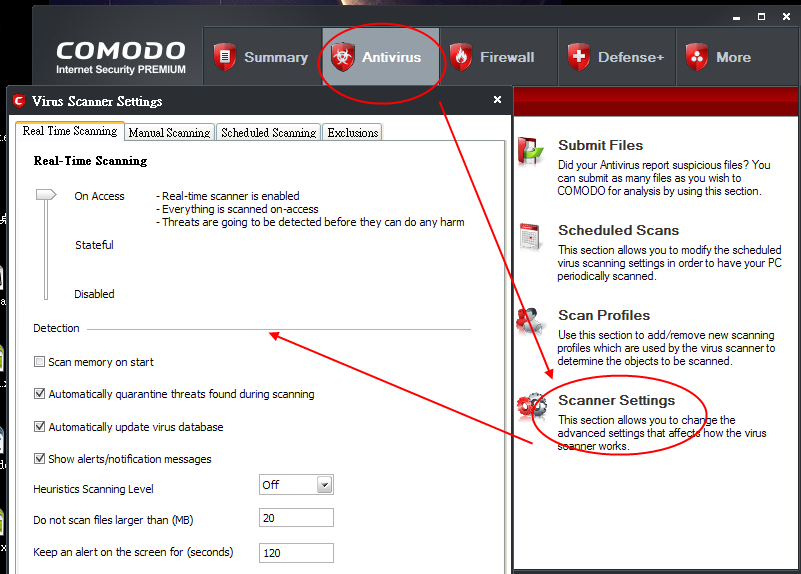
選擇 On Access,一碰到就直接抓了,Stateful 要按右鍵掃描才會抓,自行決定。
(Heuristics Scanning Level)啟發式全部關掉,那個沒什麼用,只會報殼,增加誤報率
。
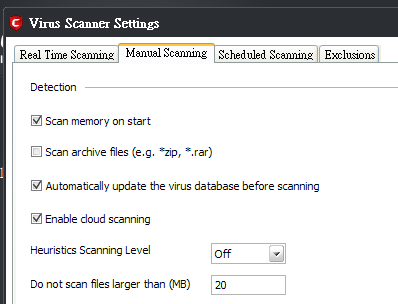
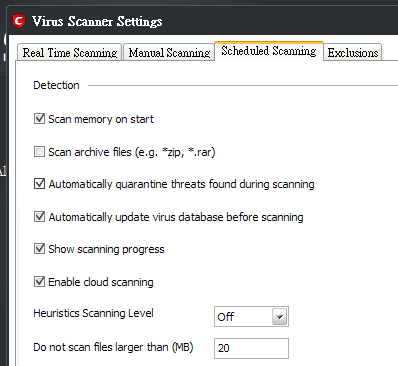
(Enable cloud scanning)雲查殺,全打勾。
(Scan archive files)掃描壓縮檔,都不要打勾,這個浪費掃描時間。
全部按圖中的設定,來打勾。
http://i234.photobucket.com/albums/ee153/a256886572008/bf/av1.png

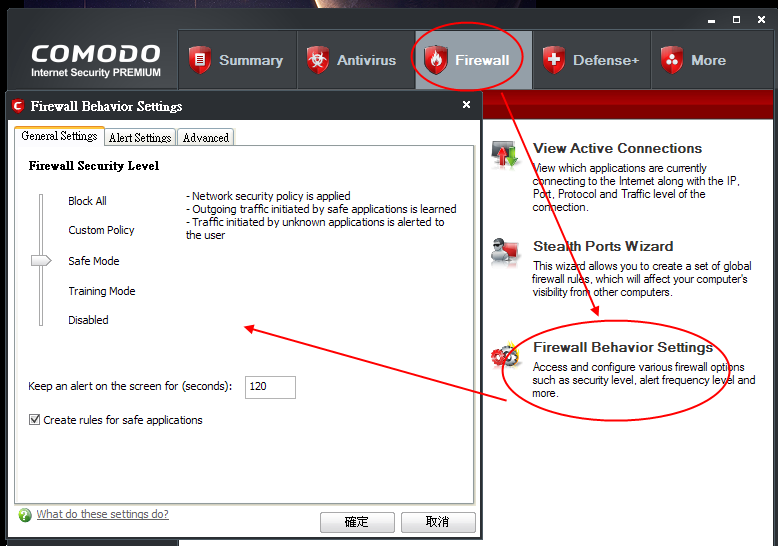
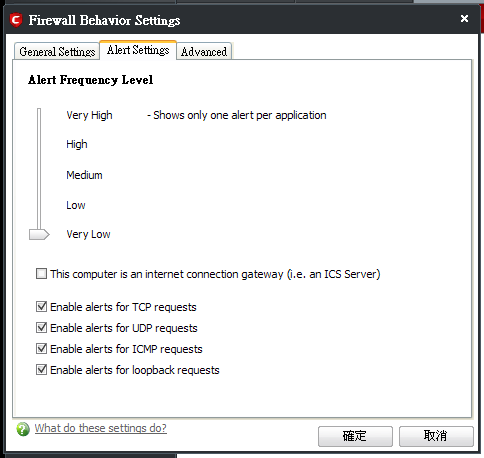
3.Firewall 部份
Create rules for safe applications 要打勾,減少彈框。
調整到 very low ,就和XP內建牆一樣方便,很少彈框。
剩下的看自己需要
http://i234.photobucket.com/albums/ee153/a256886572008/bf/firewall1.png
4.Defense+ 部份
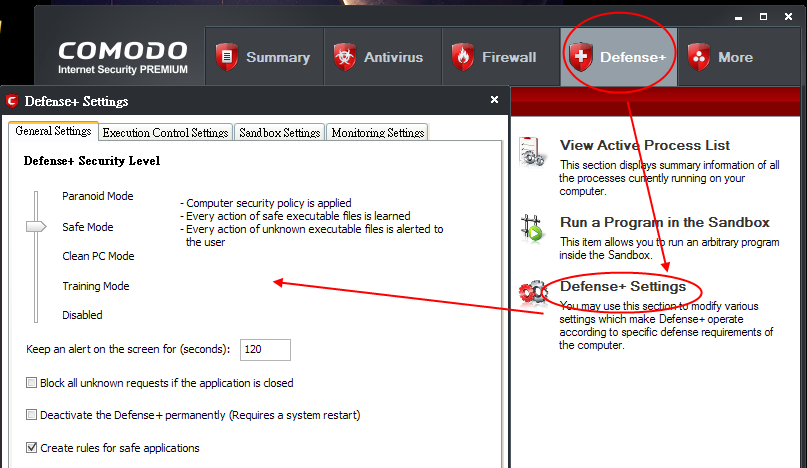
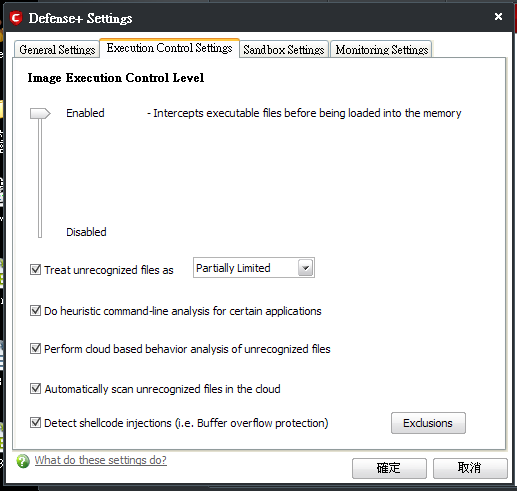
全部按圖中的設定,來打勾。
幾乎全都打勾,除了最前面兩個。
http://i234.photobucket.com/albums/ee153/a256886572008/bf/hips1.png
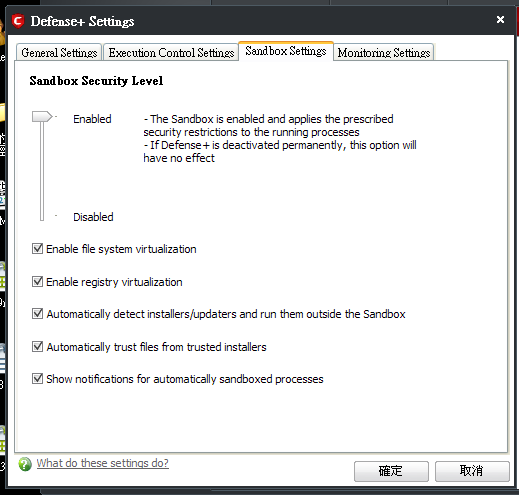
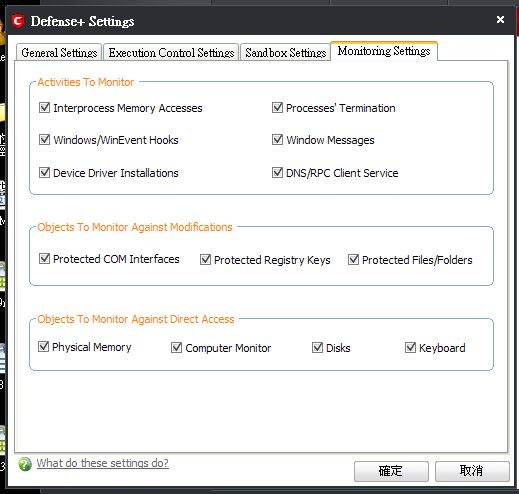
5.排除 部份
如果有正常程式被COMODO給 auto sandboxed 了的話,除了可在 冒泡提示中 取消。
還可在這裡,勾選該檔案之後,按下 Move to trusted files 來排除。
按下 lookup,可以線上查詢 是否
病毒(Malicious) 或 安全(Safe) 或 未知(Unknown)?
http://i234.photobucket.com/albums/ee153/a256886572008/bf/exclusion.png
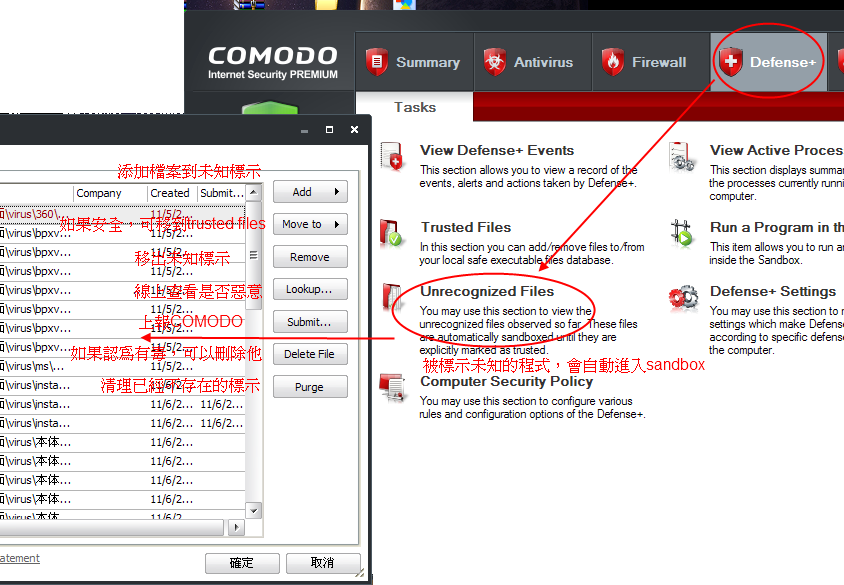
6.這樣,自動雲查殺 sandbox 的設定就完成了
--
※ 發信站: 批踢踢實業坊(ptt.cc)
◆ From: 114.44.236.235
※ 編輯: SDUM 來自: 114.44.236.235 (11/12 00:07)
推
11/12 08:25, , 1F
11/12 08:25, 1F
推
11/12 17:38, , 2F
11/12 17:38, 2F
推
11/13 08:54, , 3F
11/13 08:54, 3F
→
11/14 22:57, , 4F
11/14 22:57, 4F
→
01/11 13:45, , 5F
01/11 13:45, 5F
AntiVirus 近期熱門文章
PTT數位生活區 即時熱門文章
